
Newsletter Design
Get more clicks and traffic to your website with a custom newsletter design.
Improve your subscriber engagement with a custom-designed newsletter.
Incorporate your latest blog posts, news content, services, products and much more.
Improve your subscriber engagement with a custom-designed newsletter. Incorporate your latest blog posts, news content, services, products and much more.
- Custom newsletter designs
- Mobile phone optimised
- Clear call to actions
- Compressed images
- Optimised code
- Image alt tags optimisation
- Clear call to action
- Fast loading
- Mobile compatible


Email Newsletter Design
Enhance your click-through ratios with a custom newsletter design tailored to captivate your audience.
A well-crafted newsletter keeps your subscribers engaged, offering valuable content that resonates with their interests. By maintaining a consistent and appealing design, you can significantly improve your conversion ratios, turning more readers into loyal customers.
With over 100 completed newsletter design projects, our expertise ensures your newsletters stand out in crowded inboxes. We focus on creating visually appealing, informative, and action-driven content that not only captures attention but also encourages subscribers to take the desired actions, ultimately driving your business growth and success.




Newsletter Layouts Ideas
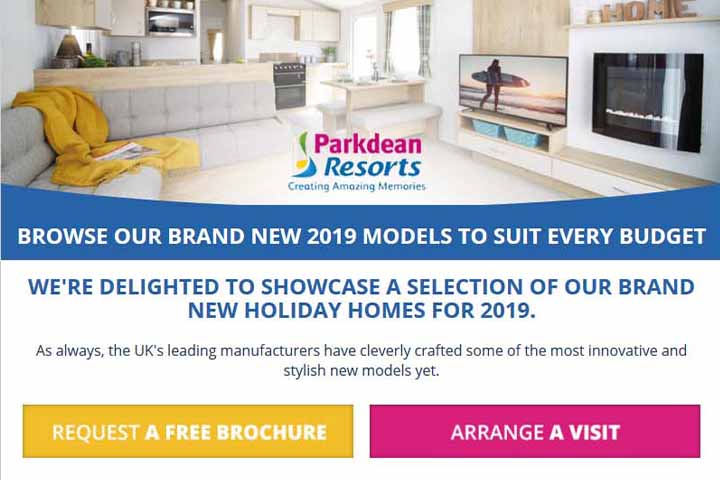
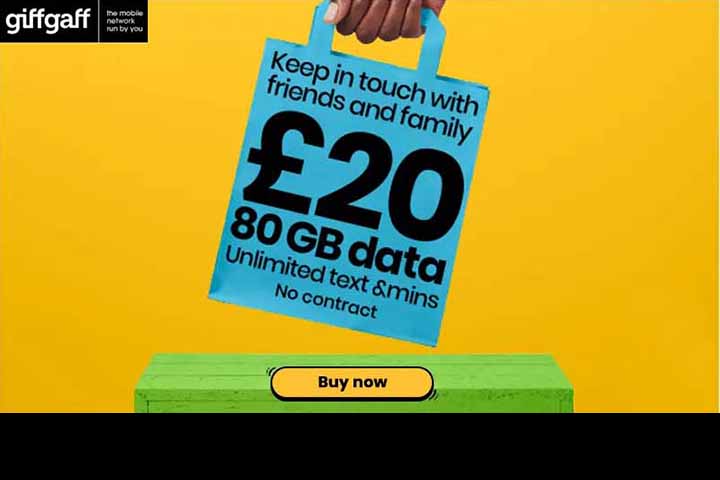
We can help you improve your email click-through ratios and get more email traffic to your business website by implementing better newsletter layouts.
Newsletters are all custom design from a blank canvas.
We incorporate a clear call to action to improve click-through ratios.
We can help you find high-quality images to improve visual elements.
All newsletters are designed for compatibility with mobile devices.
Newsletter Design Usage Examples
The list below is some examples of how you can use newsletters in your business communication and marketing campaigns.
Promote your eCommerce or business products to potential customers using a custom design newsletter.
Generate more qualified leads by promoting your business services to your newsletter subscribers.
Keep your customers up to date with your latest business news and build better customer engagement.
Get more traffic to your website by promoting informative blog posts.
Promote your social media profiles to generate more followers.
Give your newsletter subscribers a discount to generate more sales.
Newsletter Design Showcase Projects
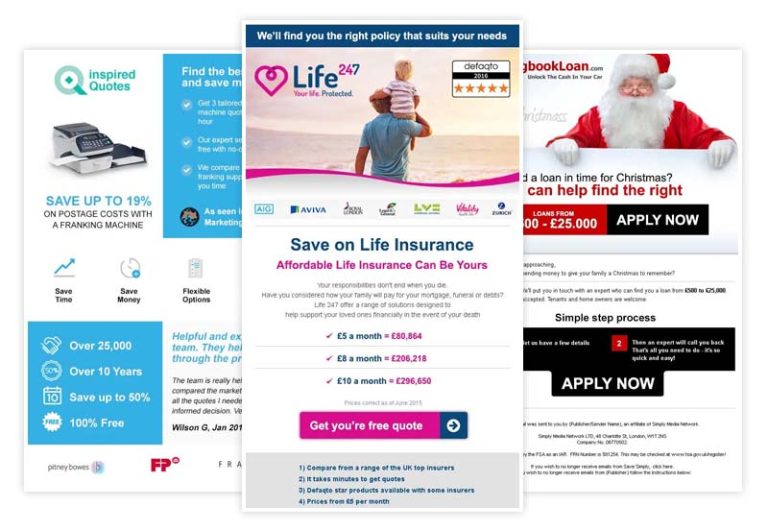
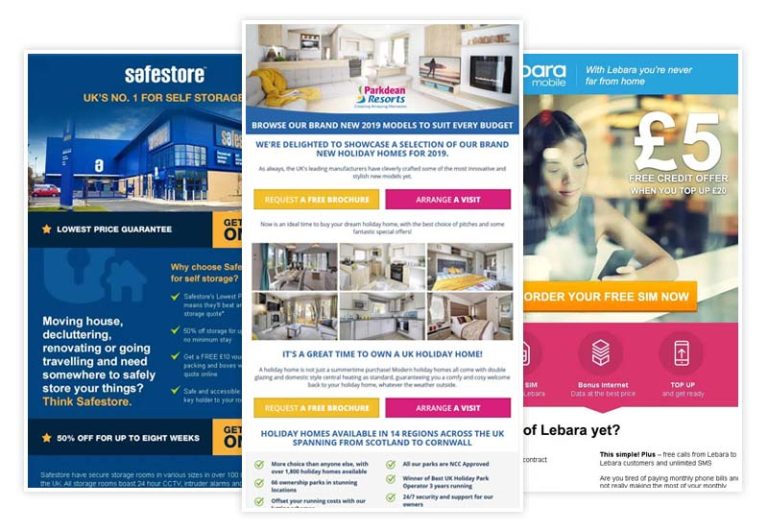
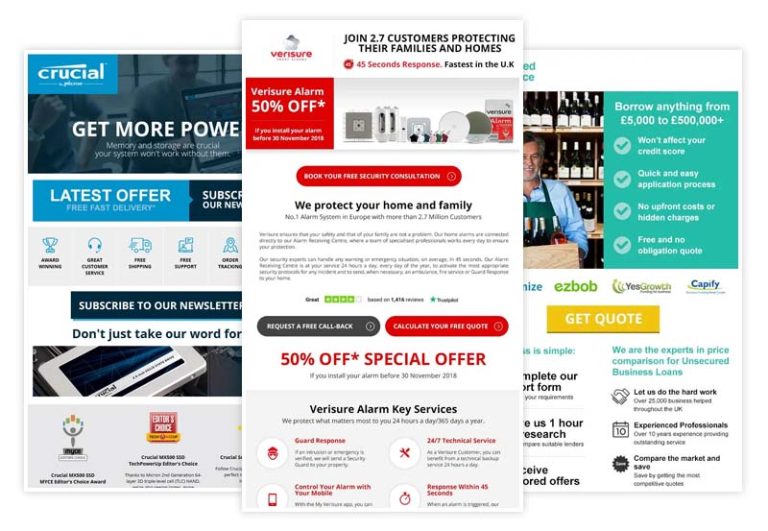
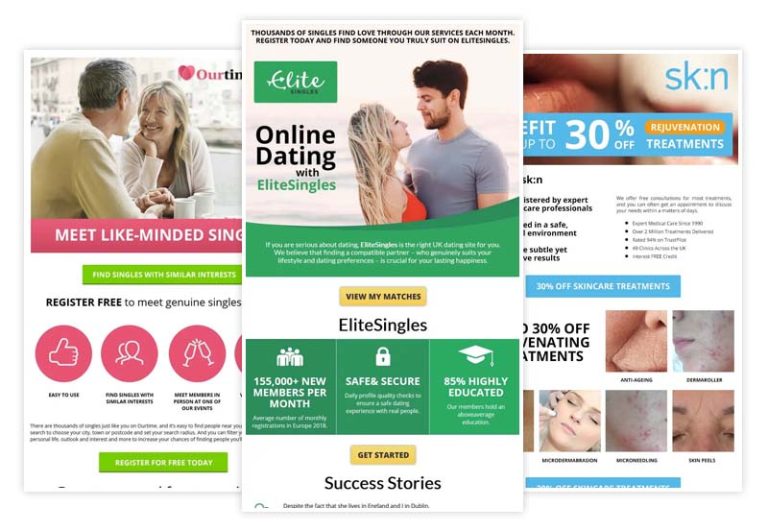
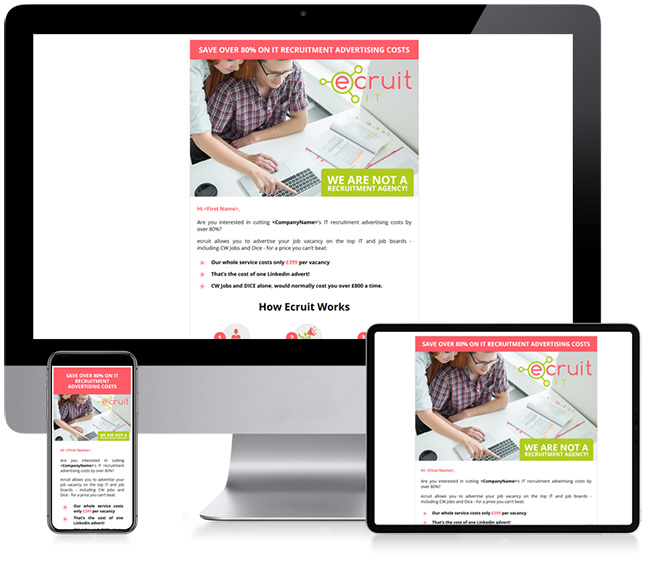
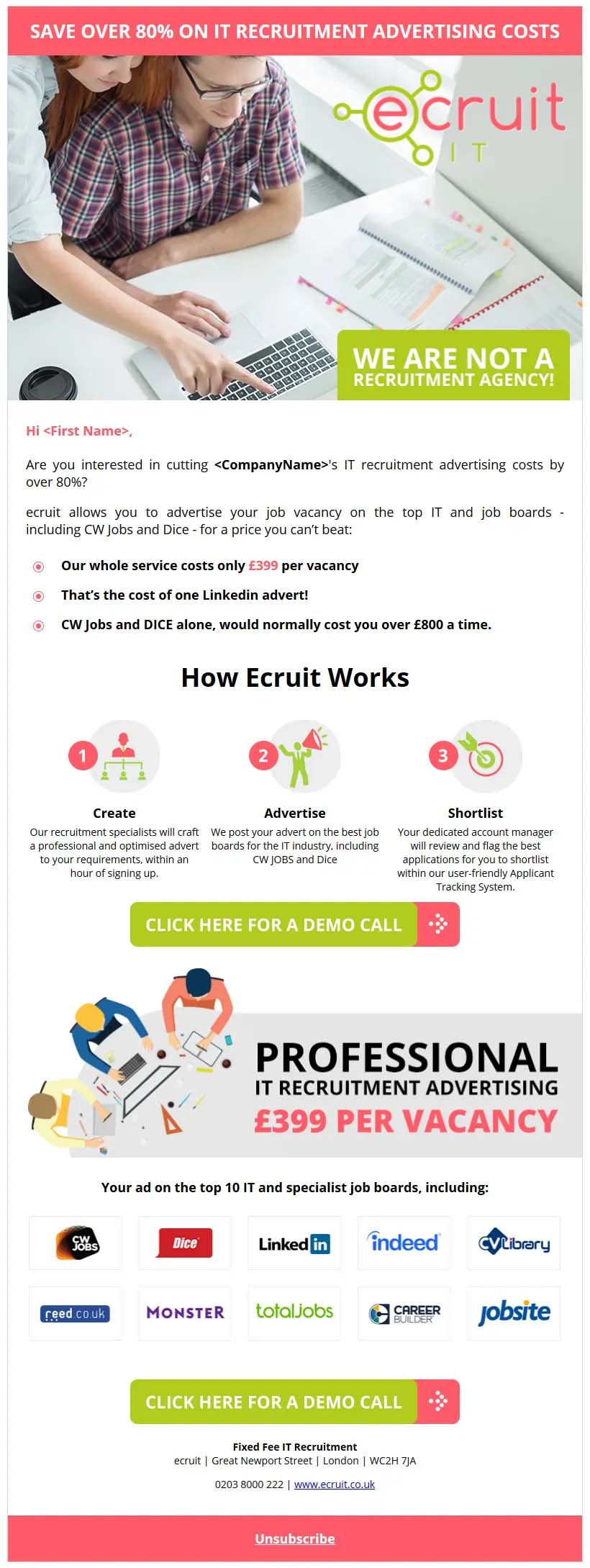
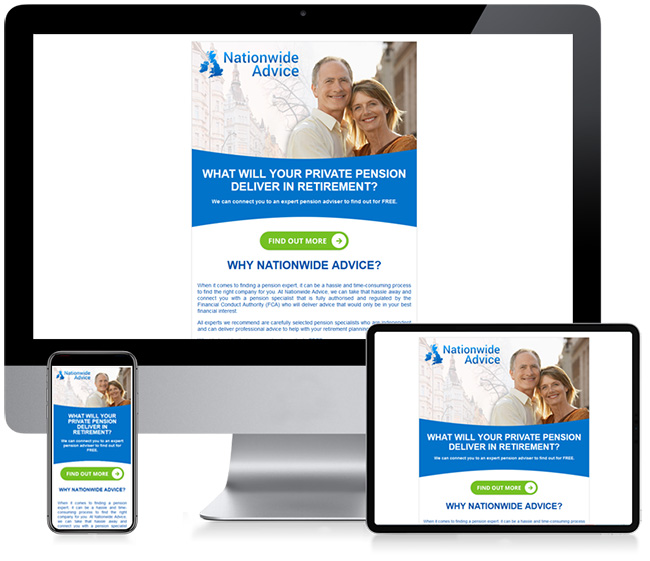
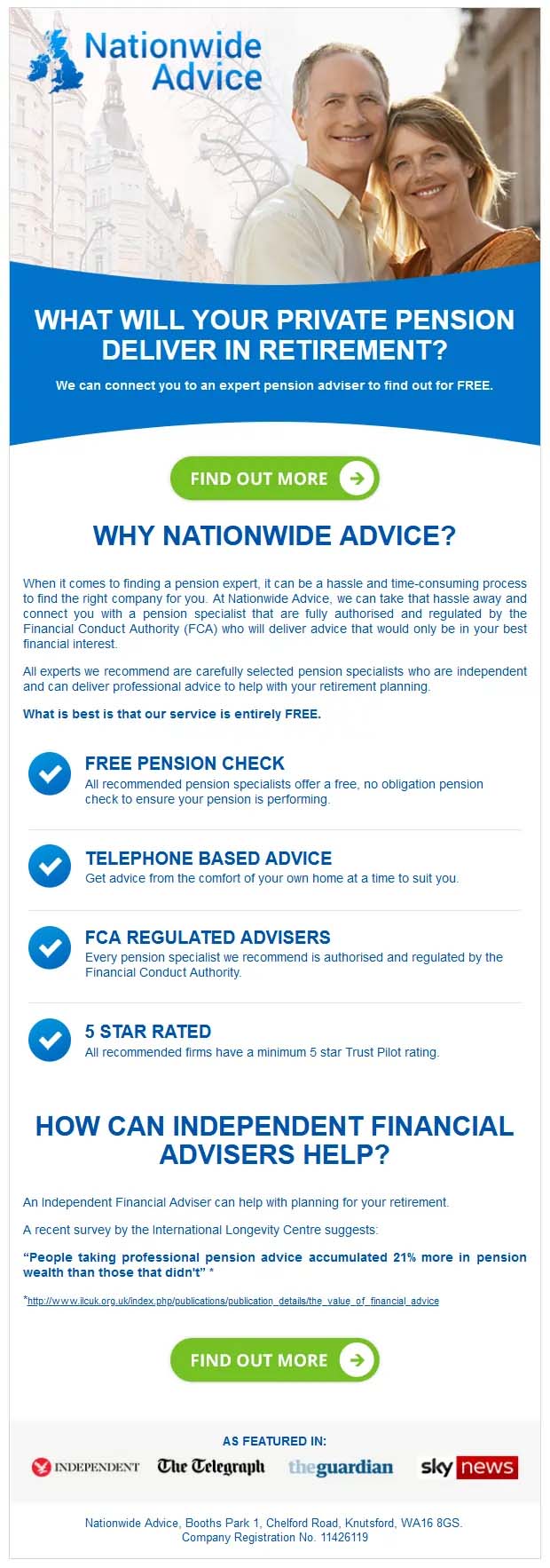
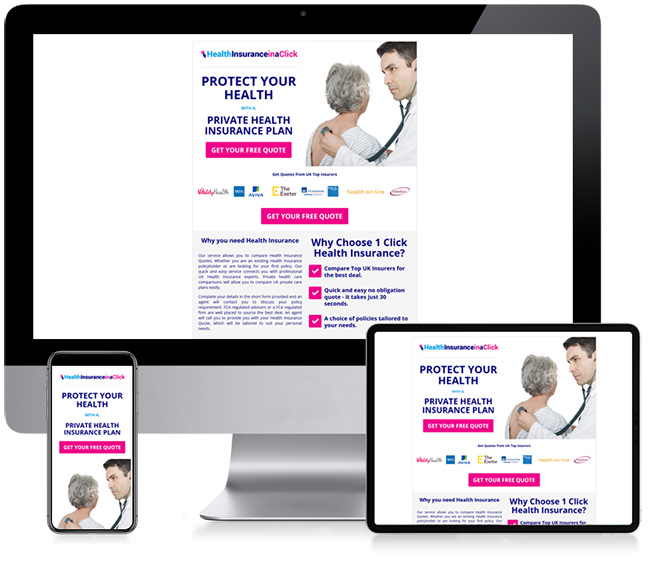
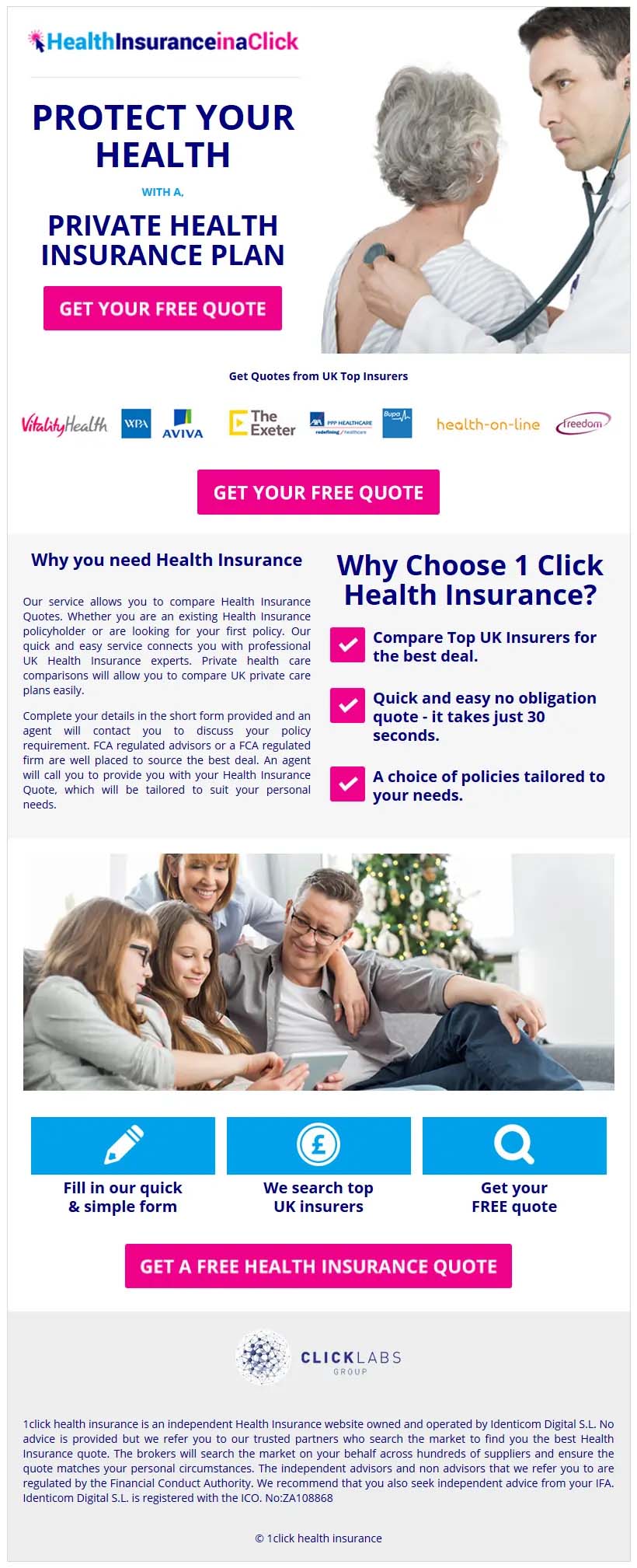
Below are just a few examples of newsletter design projects we have completed.
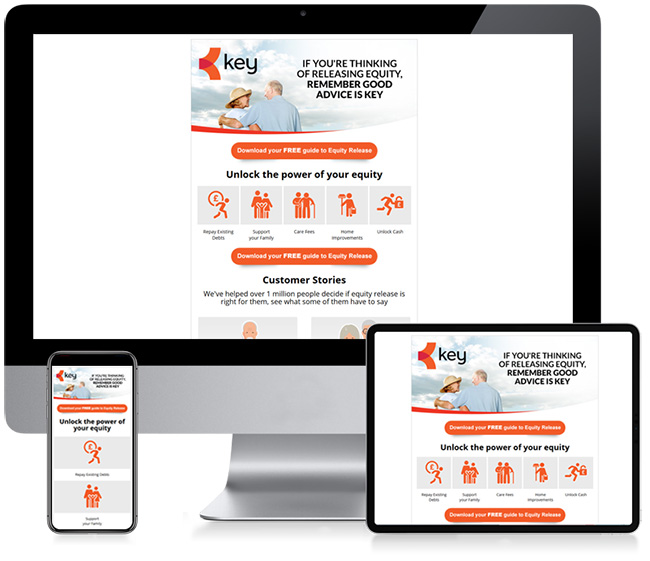
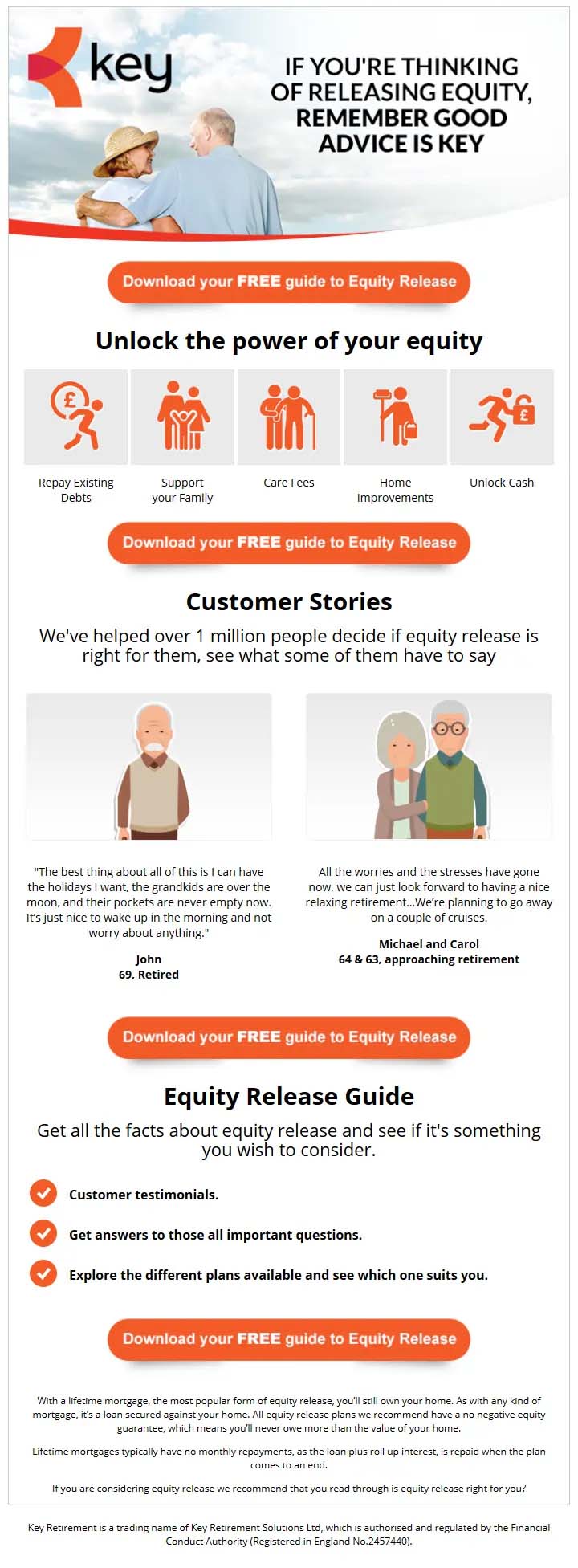
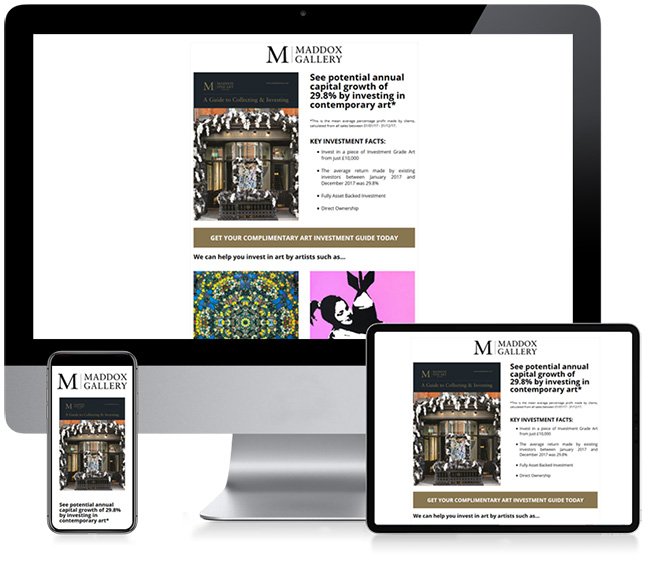
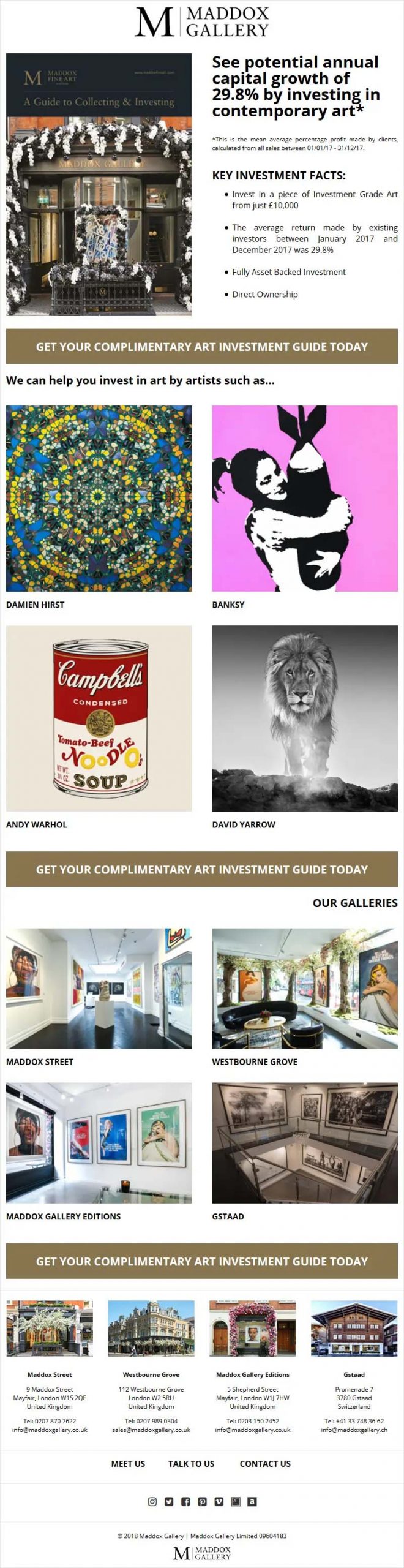
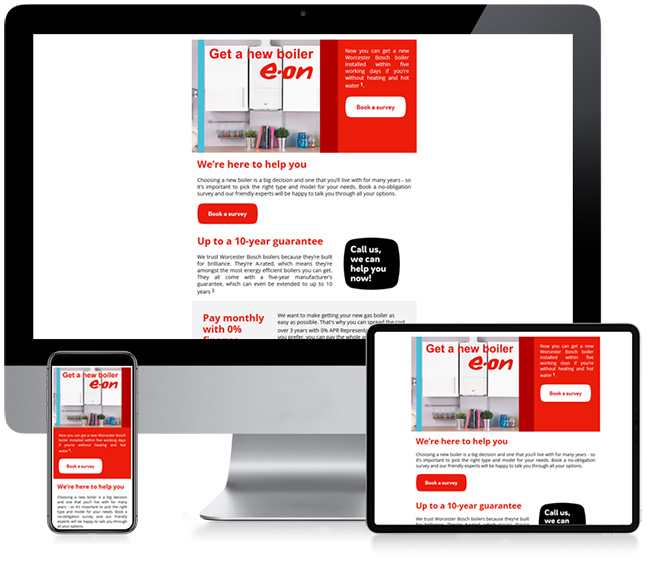
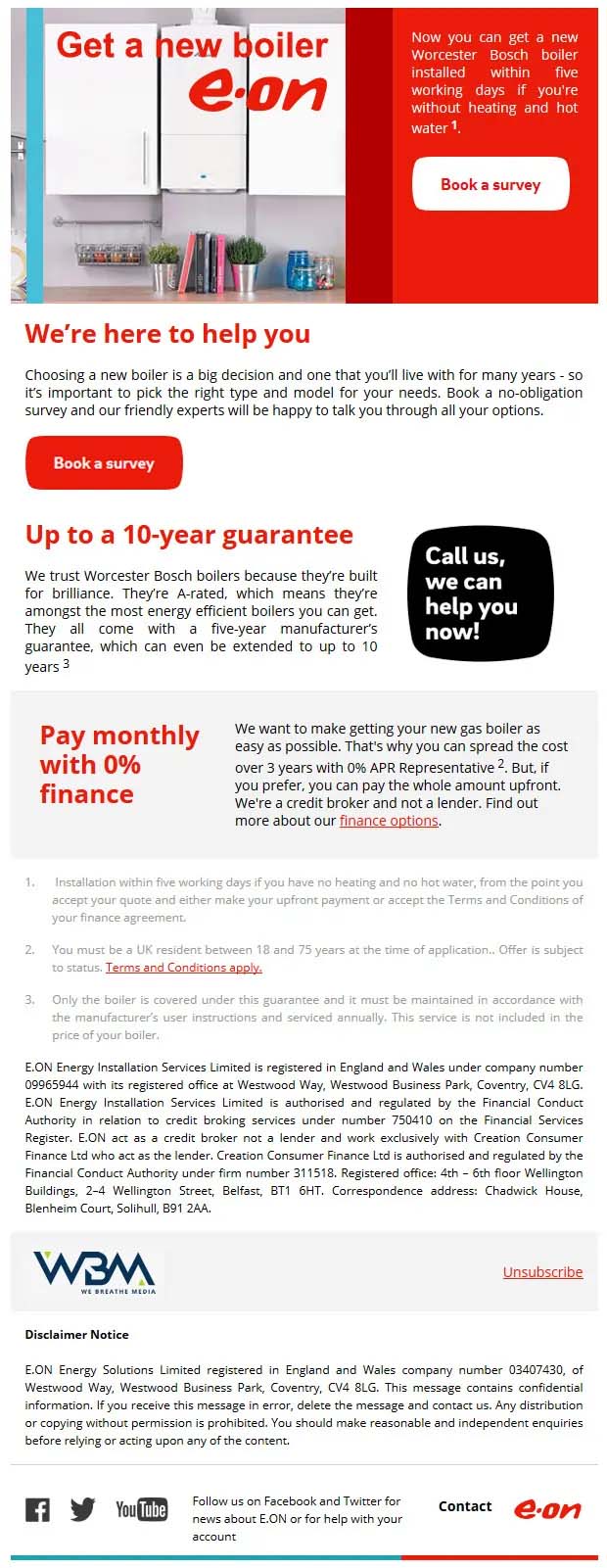
- CUSTOM EMAIL NEWSLETTER DESIGN FOR YOUR BUSINESS
- FULLY RESPONSIVE AND MOBILE-FRIENDLY LAYOUTS
- STRONG CALLS TO ACTION THAT DRIVE ENGAGEMENT
- INCLUDES ACCESS TO FREE PROFESSIONAL STOCK IMAGES
- EFFECTIVE NEWSLETTER DESIGN WITH CLEAR, FAIR PRICING
- Your data is encrypted and never shared.
Last Updated: 01/07/2024
Different Colour Productions Ltd (“we,” “us,” or “our”) is committed to protecting your privacy. This Privacy Policy outlines our practices concerning the collection, use, and disclosure of personal information when you visit our website or engage with our services. By using our website and services, you consent to the terms outlined in this Privacy Policy.
1. Information We Collect
We collect various types of information to provide and improve our services. The types of information we may collect include:
1.1. Personal Information: This may include your name, email address, phone number, and any other information you provide when you contact us, request information, or subscribe to our newsletter.
1.2. Log Data: When you visit our website, we automatically collect information, such as your IP address, browser type, pages visited, and the time and date of your visit.
1.3. Cookies and Similar Technologies: We use cookies and other tracking technologies to improve your experience on our website. You can adjust your browser settings to reject cookies or be alerted when cookies are being used.
2. How We Use Your Information
We use the collected information for various purposes, including:
2.1. Providing Services: To provide web design and related services you have requested from us.
2.2. Communication: To respond to your inquiries, send updates, and provide customer support.
2.3. Analytics: To analyse and improve our website and services, as well as monitor usage patterns.
3. Information Sharing and Disclosure
We do not sell or rent your personal information to third parties. However, we may share your information with third parties under the following circumstances:
3.1. Service Providers: We may share your information with trusted service providers who help us deliver our services, such as hosting providers, analytics providers, and marketing services.
3.2. Legal Obligations: We may disclose your information when required by law, to comply with legal processes, or to protect our rights, privacy, safety, or property.
4. Your Choices
You have choices regarding your personal information:
4.1. Access and Update: You can access and update your personal information by contacting us.
4.2. Marketing Communications: You can opt out of receiving marketing communications from us by following the unsubscribe instructions in our emails or emailing info@dcpweb.co.uk
5. Security
We take appropriate measures to protect your personal information from unauthorised access, disclosure, alteration, or destruction.
6. Links to Other Websites
Our website may contain links to third-party websites. We are not responsible for the privacy practices of these websites. We recommend reviewing their respective privacy policies.
7. Changes to this Privacy Policy
We may update this Privacy Policy from time to time to reflect changes in our practices. Any changes will be posted on this page, and the date at the top will indicate the latest update.
8. Contact Us
If you have any questions or concerns about this Privacy Policy or our practices, please contact us at: info@dcpweb.co.uk
By using our website and services, you acknowledge that you have read and agree to this Privacy Policy. Different Colour Productions Ltd is committed to safeguarding your personal information and respecting your privacy rights.
Newsletter Design Overview
We create newsletters to improve subscriber engagement.
Custom Design Newsletters
Our newsletters are created with a unique and personalised design tailored to the specific needs and branding of your business or organisation. These newsletters are typically used for marketing, communication, or informational purposes and are designed to stand out and engage the target audience effectively.
Here are some key aspects of our custom design newsletters:
Branding: Custom newsletters are designed to align with the branding guidelines of your business. This includes using your logo, colours and overall visual style to create a consistent and recognisable look.
Content: The content of custom newsletters is often tailored to the specific goals and objectives of your business. This may include promotional content, news updates, feature articles, event announcements, and more.
Layout and Format: Custom design allows for creative control over the layout and format of the newsletter. This can include the placement of images, text, headers, and other elements to create an aesthetically pleasing and easy-to-read design.
Graphics and Images: Custom newsletters often incorporate high-quality graphics, images, and illustrations that are relevant to the content. These visuals can help convey information and make the newsletter more engaging.
Personalisation: Some custom newsletters are personalised for each recipient, including their name and other relevant details. This personalisation can enhance the reader's experience and increase the likelihood of engagement.
Responsive Design: Custom newsletters are typically designed to be responsive, meaning they can adapt to different screen sizes and devices (desktop computers, tablets, mobile phones) to ensure a consistent and user-friendly experience.
Call to Action (CTA): Custom newsletters often include clear and compelling calls to action, encouraging readers to take specific actions, such as making a purchase, signing up for a webinar, or subscribing to a service.
Distribution: Once designed, custom newsletters are distributed to the target audience through email distribution platforms like MailChimp or Constant Contact.
Best Newsletter Design
Custom design newsletters are valuable tools for businesses and organisations looking to effectively communicate with their audience, promote products or services, and build brand loyalty.
Our solutions offer the flexibility to create visually appealing and engaging content that resonates with recipients and drives desired actions.
Contact DCP for more information on how we can help you with email creatives and newsletter design.
Mobile Optimised Newsletters
Our newsletters are designed and formatted to display and function effectively on mobile devices, such as smartphones and tablets. This is particularly important because many people check their email on mobile devices, and a poorly optimised newsletter can lead to a frustrating and unengaging user experience.
Here are some key characteristics of our mobile-optimised newsletters:
Responsive Design: Mobile-optimised newsletters use responsive design techniques to ensure that the layout and content adjust fluidly to fit the smaller screens of mobile devices. This means that text, images, and other elements are resized and reorganised for optimal readability and usability.
Readable Fonts and Text: Mobile-friendly newsletters use legible fonts and font sizes that are easy to read on smaller screens. They avoid using tiny text that requires zooming in to read.
Optimised Images: Images are resized and compressed for faster loading on mobile devices to prevent slow load times. High-resolution images that are too large can be a major issue on mobile.
Simple Navigation: Navigation within the newsletter is simplified for mobile users. Links and buttons are easily tapable, and the overall layout is intuitive, making it easy for recipients to access additional content or perform actions.
Mobile-Friendly Links: Links within the newsletter are checked to ensure they work properly on mobile devices. They should not lead to pages with broken layouts or inaccessible content on mobile.
Clear Call to Action (CTA): If the newsletter includes a call to action, such as clicking a link or making a purchase, it should be prominently displayed and easily accessible on mobile devices.
Reduced Horizontal Scrolling: Mobile-optimised newsletters aim to minimise or eliminate the need for horizontal scrolling, which can be frustrating for mobile users. Content is formatted to fit within the width of the screen.
Testing Across Devices: Before sending a mobile-optimised newsletter, we test it across various mobile devices and email clients to ensure consistent performance and appearance.
Design for Newsletter
In summary, our mobile-optimised newsletter takes into account the unique requirements and constraints of mobile devices, providing a seamless and user-friendly experience for recipients who open and read emails on their smartphones or tablets.
This is crucial for effective email marketing and communication in an increasingly mobile-centric world.
Newsletter Image Compression
Images are compressed to ensure fast loading on mobile devices.
Newsletter Image Compression Overview
Image compression for newsletters is the process of reducing the file size of images used within newsletters while maintaining an acceptable level of image quality.
This is important because large and unoptimised images can increase the size of the newsletter, which may result in slower loading times for recipients, especially when viewing emails on mobile devices or with slower internet connections.
Effective image compression can help optimise your newsletter's performance without sacrificing image clarity.
Here are some key points related to image compression we provide for newsletters:
File Size Reduction: The primary goal of image compression is to reduce the file size of images. Smaller file sizes make newsletters quicker to load and reduce the amount of data that recipients need to download.
Lossless vs. Lossy Compression: There are two main types of image compression: lossless and lossy. Lossless compression reduces the file size without any loss of image quality. Lossy compression, on the other hand, reduces the file size by discarding some image data, which can result in a minor loss of quality. The choice between these methods depends on the specific image and quality requirements.
Image Format Selection: The choice of image format can affect compression efficiency. Common image formats used in newsletters include JPEG, PNG, and GIF. JPEG is often used for photographs, while PNG is preferred for images with transparency and sharp edges. Choosing the right format and compression settings is essential.
Resolution and Dimensions: Resize images to the dimensions at which they will be displayed in the newsletter. There's no need to include a high-resolution image if it will be displayed in a small space. Resizing images appropriately can significantly reduce file size.
Compression Tools and Software: We use various tools like Adobe Photoshop to compress images for newsletters and email creatives.
Testing: We always test compressed images to ensure that they still meet your quality standards.
Balancing Quality and Size: Striking the right balance between image quality and file size is crucial. We want your images to look good while keeping the newsletter's loading time reasonable.
Optimising images through compression is a standard practice in newsletter design and email marketing. It helps ensure that your newsletters load quickly and efficiently for all recipients, regardless of their device or internet connection, while still providing a visually appealing experience.
Contact DCP to learn more about our newsletter design services.
Newsletter HTML Optimised Code Overview
Web HTML-optimised code for newsletters to ensure the best compatibility with various email clients and devices. Email newsletters present unique challenges compared to standard web pages because they need to render correctly in a wide range of email clients, some of which have limited support for modern HTML and CSS features.
Here are some key considerations for our HTML-optimised code in newsletters:
Use Tables for Layout: To ensure consistent rendering across email clients, we use tables for layout instead of relying on CSS for positioning. Many email clients, especially older ones, have limited or inconsistent support for CSS.
Inline CSS: We embed CSS styles directly within your HTML elements using inline styles. While external CSS files are common in web design, email clients often ignore them.
Responsive Design: We implement responsive design techniques to ensure that your newsletter looks good on both desktop and mobile devices. We use media queries to adjust the layout and font sizes for smaller screens.
Alt Text for Images: We include descriptive alt text for images. Some email clients block images by default, so alt text provides context and ensures accessibility.
Web-safe Fonts: We use web-safe fonts. Not all email clients support custom fonts, so we choose widely supported ones for your text content.
HTML Comments: We use HTML comments to provide notes or instructions within your code. This can be helpful for documentation and troubleshooting.
Test Across Email Clients: Before sending your newsletter, we thoroughly test it across multiple email clients and devices to ensure it renders correctly and looks good everywhere.
Fallbacks: we implement fallback content for email clients that don't support certain features. For example, if an email client doesn't support background images, include a background colour as a fallback.
Unsubscribe and Contact Information: We include clear and accessible options for recipients to unsubscribe from your newsletter or contact you.
Avoid External Resources: We minimise reliance on external resources like external stylesheets, JavaScript, or linked images. These may not load in some email clients.
Creating an HTML-optimised code for newsletters can be a bit more challenging than designing standard web pages due to the variability in email client support. However, we follow best practices and thoroughly test your newsletters, to ensure that they are well-received by your subscribers and provide a consistent user experience across different email clients and devices.
Many of the email mailing systems like MailChimp or Constant Contact will also have built-in newsletter designing tools, we recommend using these tools where available.
Clear Call to Action (CTA) Overview
A clear call to action (CTA) in newsletters is a prominent and compelling element that encourages recipients to take a specific action. In email marketing, the CTA is a critical component because it guides readers on what to do next and can significantly impact the success of your campaign. Here are some key aspects of a clear CTA in newsletters:
Clarity: The CTA should be clear and easy to understand. Use concise and action-oriented language that leaves no ambiguity about what action you want the reader to take.
Placement: Position the CTA prominently within the newsletter, typically near the top or in a location where it's highly visible. The reader should not have to scroll extensively to find it.
Design: Make the CTA visually distinct from the rest of the content. Use contrasting colours, bold fonts, buttons, or other design elements to make it stand out.
Size: Ensure that the CTA is large enough to be easily clickable on both desktop and mobile devices. It should be touch-friendly for mobile users.
Whitespace: Surround the CTA with whitespace to draw attention to it and avoid clutter. It should not be crowded by other elements.
Action Verbs: Use action verbs that prompt immediate action. Examples include "Buy Now," "Sign Up," "Learn More," "Subscribe," "Get Started," etc.
Value Proposition: Briefly convey the benefit or value of taking the action. Explain what the reader will gain from clicking the CTA.
Urgency: If applicable, add a sense of urgency or scarcity to the CTA to motivate immediate action. Phrases like "Limited Time Offer" or "Act Now" can create a sense of urgency.
Relevance: Ensure that the CTA aligns with the content of the newsletter. It should relate to the message or offer presented in the email.
Test and Iterate: A/B testing can help determine which CTA design or wording performs best with your audience. Continuously monitor and refine your CTA to improve its effectiveness.
Mobile Optimisation: Given the prevalence of mobile email readers, make sure the CTA is easily clickable and visually appealing on smaller screens.
Accessibility: Ensure that the CTA is accessible to all recipients, including those who may be using screen readers. Use descriptive alt text for images and test for accessibility compliance.
Tracking: Implement tracking to monitor the click-through rate (CTR) of your CTA. This data can provide valuable insights into the effectiveness of your newsletter campaigns.
Examples of effective CTAs in newsletters include "Shop Now" for e-commerce website newsletters, "Download Now" for software or app promotions, "Subscribe" for newsletters seeking subscribers, and "RSVP" for event invitations. The key is to make the CTA stand out and motivate the reader to take the desired action, ultimately contributing to the success of your email marketing efforts.
Optimised Image Alt Tags Overview
Optimised image alt tags for newsletters refer to the use of descriptive and well-crafted alternative text (alt text) for images within email newsletters. Alt text serves several important purposes in email marketing:
Accessibility: Alt text provides a textual description of images for individuals who are visually impaired or have disabilities that prevent them from viewing images. Screen readers and other assistive technologies use alt text to convey the content and meaning of images to these users, making your newsletter more inclusive and accessible.
Fallback: Some email clients disable the automatic loading of images by default. In such cases, the alt text is displayed instead of the image. Providing informative alt text ensures that your message still makes sense even when images are blocked.
SEO: While alt text in emails doesn't directly impact search engine optimisation (SEO), it can indirectly benefit your brand's online presence. When recipients share your email content on social media or other platforms, the alt text can be used as the image description, potentially improving the discoverability of your content.
Here are some tips for optimising image alt tags for newsletters:
Be Descriptive: Alt text should describe the image in a clear and concise manner. Avoid generic phrases like "image" or "graphic" and provide specific details about the image's content and purpose.
Contextual Relevance: Ensure that the alt text is relevant to the surrounding content and the message of the newsletter. It should make sense within the context of the email.
Keep It Short: Alt text should be relatively short, usually no longer than a sentence or two. Long alt text can be overwhelming for screen reader users.
Avoid Keyword Stuffing: While it's important to be descriptive, don't stuff alt text with keywords or promotional language. Alt text should serve a functional purpose and not be used for SEO manipulation.
Indicate Decorative Images: If an image is purely decorative and doesn't convey meaningful content, you can use empty or null alt text (alt="") to indicate that it's for design purposes only. This helps screen readers skip over irrelevant images.
Branding: If the image contains your company logo, consider including your brand name in the alt text to reinforce brand recognition.
Test Across Email Clients: Test your alt text to ensure it displays correctly in various email clients. Some clients may have limitations or quirks regarding alt text rendering.
Alt Text for Links: If an image is also a clickable link (common in email marketing), include alt text that describes both the image and the link's destination. This provides additional context for users.
Dynamic Content: If your newsletter includes dynamically generated images (e.g., personalised content or product recommendations), ensure that alt text is dynamically generated to match the content.
Optimising image alt tags in newsletters is an essential practice for creating accessible and user-friendly email campaigns. It ensures that all recipients, regardless of their abilities or email client settings, can understand and engage with your email content effectively.
Email Newsletter Designers
At DCP we have helped our clients generate vast amounts of leads by simply creating amazing newsletters and awesome website landing pages. Combining these two skill sets gives your business a cost-effective and efficient marketing tool.
Our graphic designers will make an email creative using the information you provide and follow your style guidelines.
We will make updates to the email artwork if you require any changes and supply you with a completed zip file containing the HTML file and image content or build the newsletter directly on your selected email distribution platform.
Our design team creates email newsletters for both small companies and large organisations and put in the same effort regardless of the size of your business.
We are London-based graphic designers, available during normal working hours for your convenience. Whether you need assistance, updates, or consultations, you can easily reach us. Our local presence ensures timely communication and support, providing you with reliable and professional graphic design services.
If you need a professional designer to improve your business email marketing campaigns, then simply contact DCP Designers today at 07838 678 770 or 0203 539 4415.
Latest Graphic Design Blog Post
Start learning something new today!
Free access to over 500+ video tutorials, Infographics and Articles.

- Articles, Artificial Intelligence - AI, Website Design
- Articles, Business Tips, Website Design
- Articles, Website Design
- Articles, Website Design
- Articles, Website Design
- Articles, Graphic Design, Website Design