

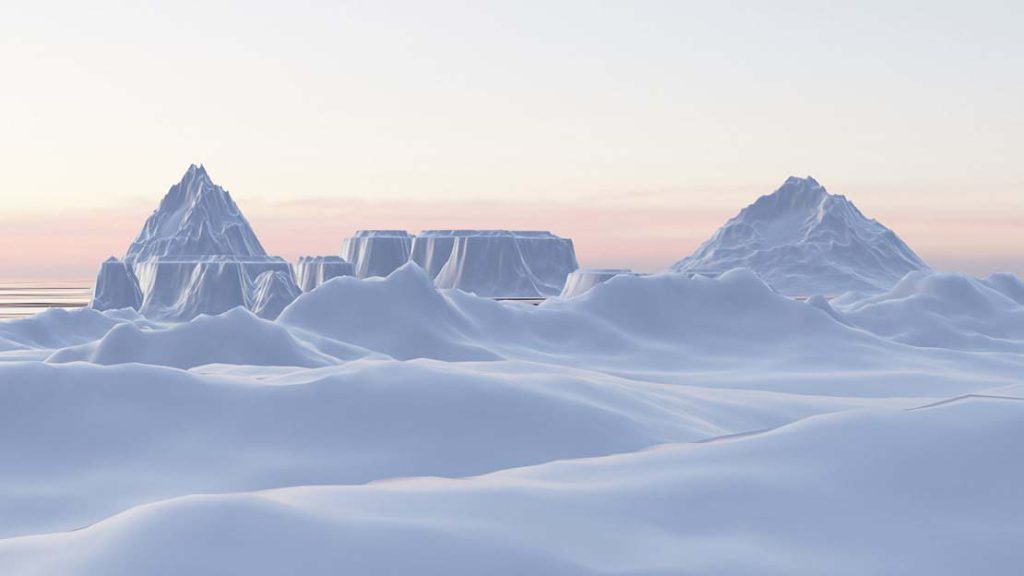
In this video tutorial, I will show you how to make a Cold Antarctic Environment using Blender 2.8 Eevee.
Here are the concepts covered in this video tutorial:
- Download HDRI lighting maps
- Add Blender HDRI lighting
- Add a plane for ocean water
- Add material for ocean and crate bump map
- Enable the Add Mesh A.N.T Landscape Blender plugin
- Create a large terrain
- Subdivide the mesh
- Add material to the terrain for snow
- Create icebergs / Add material
- Update render settings for screen space reflections
- Duplicate icebergs
- Add icebergs mountain
- Animate the camera fly through the scene
- Update render settings
- Render out the final video animation in Blender 2.8
Tutorial Summary: First, we will add an HDRI map for the skyline. Next, we will add a plane and make the surface reflect the light from the HDRI map, we will also add a bump map and noise texture to simulate small waves in the water. We will use the A.N.T Landscape plugin to quickly generate some icy landscapes and icebergs. Finally, we will animate the camera to fly through our scene.
Download HDRI: https://hdrihaven.com/hdri/?h=syferfontein_0d_clear
Download HDRI: https://hdrihaven.com/hdri/?c=skies&h=kloofendal_48d_partly_cloudy
If you are new to Blender then take a look at our latest Blender 2.8 tutorials.
Blender example landscape render cold antarctic environment
- Custom web design
- Secure and fast website solution
- Full management training
- Take control of your website
- SEO optimisation
- Reliable web hosting and emails
Video Tutorial By Pankaj Shah | Blender 3D Tutorials

