

Hi and welcome to this DCP web tutorial.
In this tutorial, I’m going to show you how to embed a Google map onto your website page.
Video Tutorial Summary:
- Open Google Maps
- Find a location
- Copy the Google Map embed code
- Open your website admin control panel
- Edit page source code
- Paste Google Map embed code
- Save the page in the admin control panel
- Reload the page on your website to see the embedded Google Map
So, let’s go ahead and open up the web browser (Google Chrome) and we’ll go to Google Maps. Just type in Google Maps into your search engine and click on Google Maps website page.
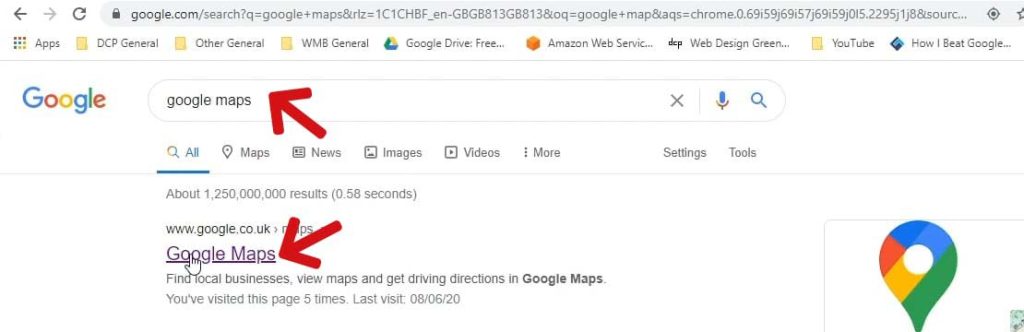
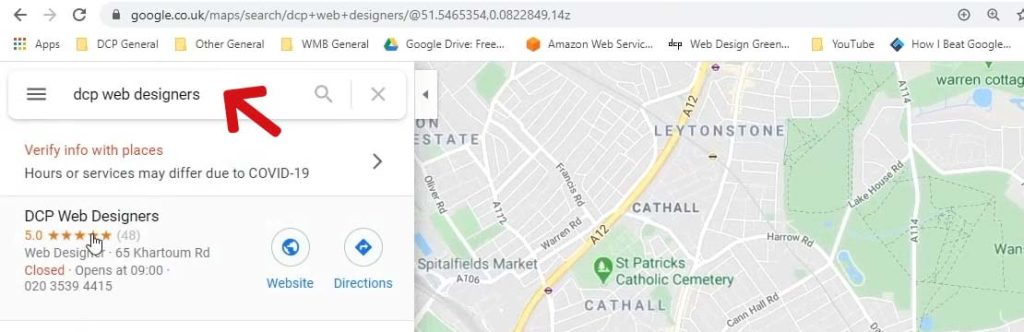
We want to search for some things, I’m going to search for my company which is DCP Web Designers.
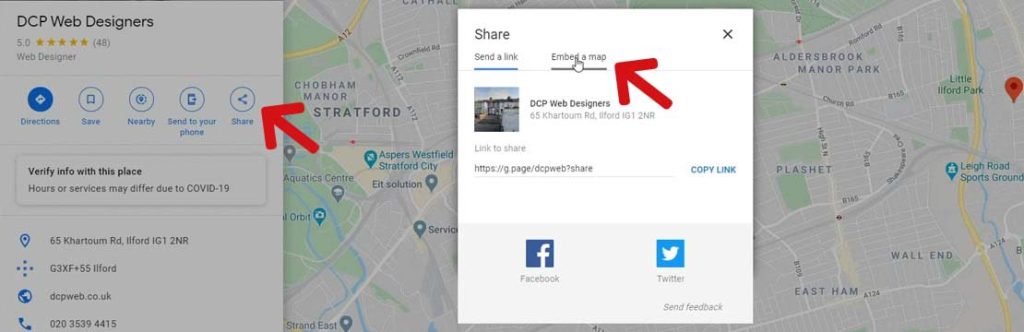
Click the share button and then click on the embed tab. Now copy the embed code by pressing “Copy HTML” link.
Example Embed Code:
<iframe src="https://www.google.com/maps/embed?pb=!1m18!1m12!1m3!1d19850.15529292229!2d0.022530429437020036!3d51.54495867984927!2m3!1f0!2f0!3f0!3m2!1i1024!2i768!4f13.1!3m3!1m2!1s0x47d8a667c9d281e3%3A0x6d7e482127ce6ab0!2sDCP%20Web%20Designers!5e0!3m2!1sen!2suk!4v1592043309058!5m2!1sen!2suk" width="600" height="450" frameborder="0" style="border:0;" allowfullscreen="" aria-hidden="false" tabindex="0-8.html"></iframe>
Now open up your website, in this tutorial I will go to my website: www.dcpweb.co.uk
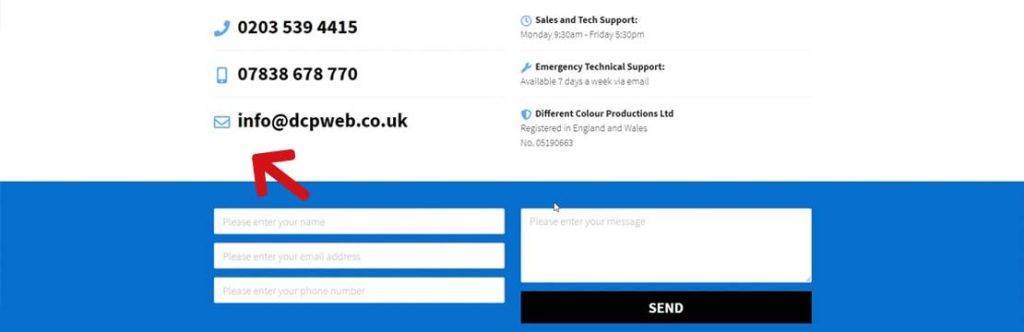
On the contact page, I want to place a map between the form and the content above.
Login into your website admin control panel. Whether you’re using WordPress using the custom website content management system I’m using doesn’t really matter, the goal is to embed the map.
In the admin control panel, I will edit my contact page.
A good idea is to add a text placeholder for where you want to display your map. When you check the source code, finding the location in the code will be easier.
In this tutorial, I will use the placeholder text “add map”.
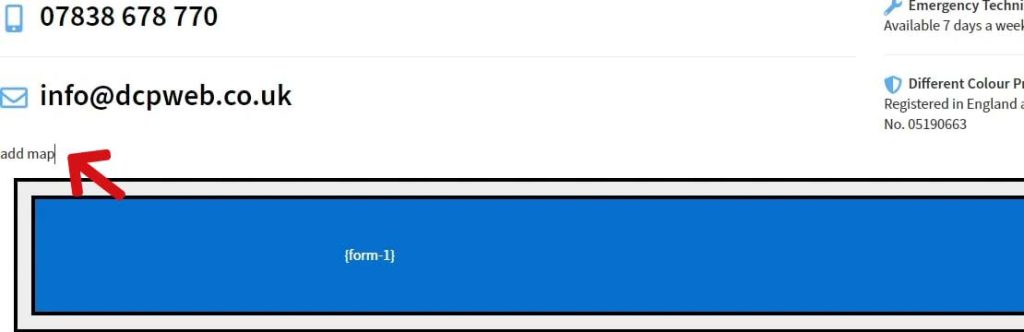
Now when I go to the source code, you can see it is easy to find the place holder.
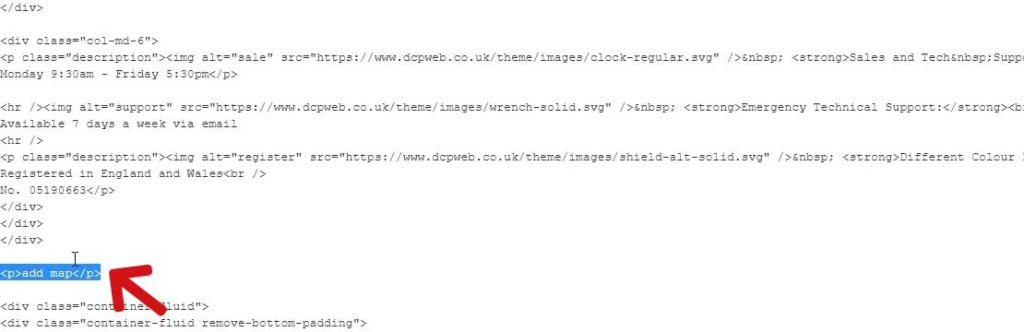
WordPress and other website content management system will also have an option to view source code.
In the source code select the place holder text, then paste the Google Map embed code (Windows CTRL+V) or (Apple Mac CMD+V). You can also right-click and select paste.
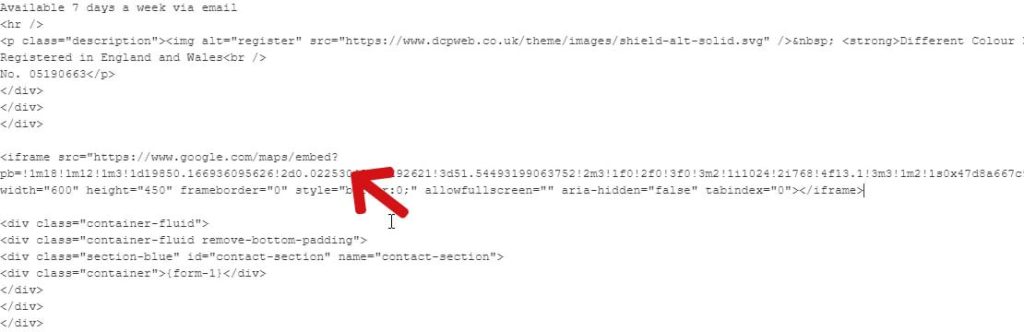
The next step is to save your content, in this example, I will select the save button, for WordPress you can either select “preview” or “publish”.
Now if we go back to the contact page and refresh, we’ll see the Google Map.
The map is not the right size, it would look better if the map filled the full width of the page. To make the map wider we need to edit the “width” attribute of the Google Map embed code.
Go back to your admin control panel and edit the page which contains the map. View the source code and change the width attribute, in this example, I will change the width to value = 1110
I will also adjust the height of the map by editing the Google Map embed code height attribute, I will set the value to = 400
I have highlighted the attributes which require editing below.
- width=”1110″
- height=”400″
<iframe src="https://www.google.com/maps/embed?pb=!1m18!1m12!1m3!1d19850.15529292229!2d0.022530429437020036!3d51.54495867984927!2m3!1f0!2f0!3f0!3m2!1i1024!2i768!4f13.1!3m3!1m2!1s0x47d8a667c9d281e3%3A0x6d7e482127ce6ab0!2sDCP%20Web%20Designers!5e0!3m2!1sen!2suk!4v1592043309058!5m2!1sen!2suk" width="1110" height="400" frameborder="0" style="border:0;" allowfullscreen="" aria-hidden="false" tabindex="0-8.html"></iframe>
The Map now fits nicely with the form below and the content above.
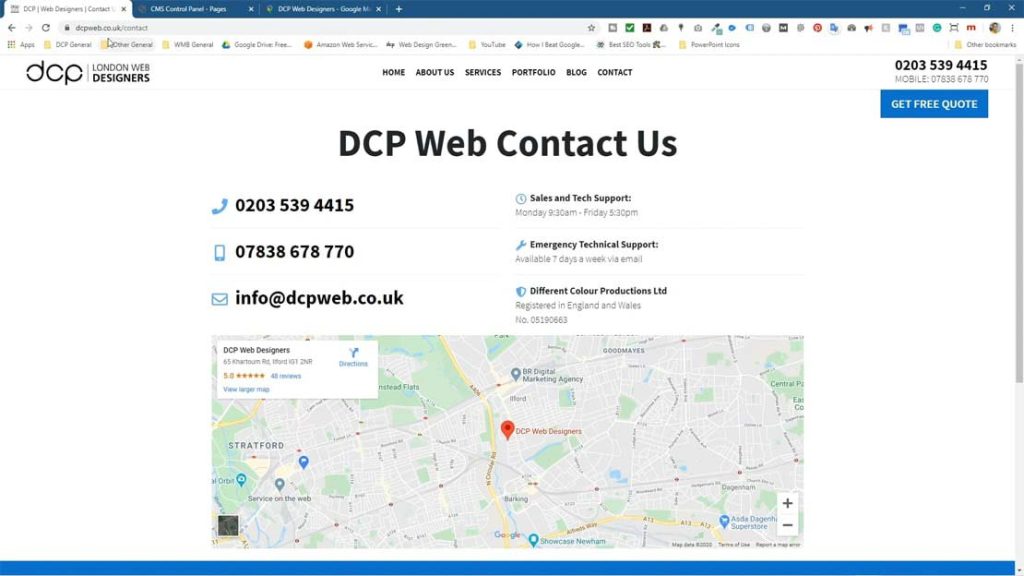
So that’s simply how you go about adding a Google map to your website page, it doesn’t matter if you are using Joomla or WordPress or any sort of content management system if it’s a good one you should be able to go into the admin area and edit the source code for a page.
Did you know you can find over 500 more video tutorials on our Elearning YouTube Channel?
- Custom web design
- Secure and fast website solution
- Full management training
- Take control of your website
- SEO optimisation
- Reliable web hosting and emails
Article By Pankaj Shah | June 13th, 2020 | London Web designers

