

In this video tutorial, I will show you how to create a YouTube thumbnail in Adobe Photoshop.
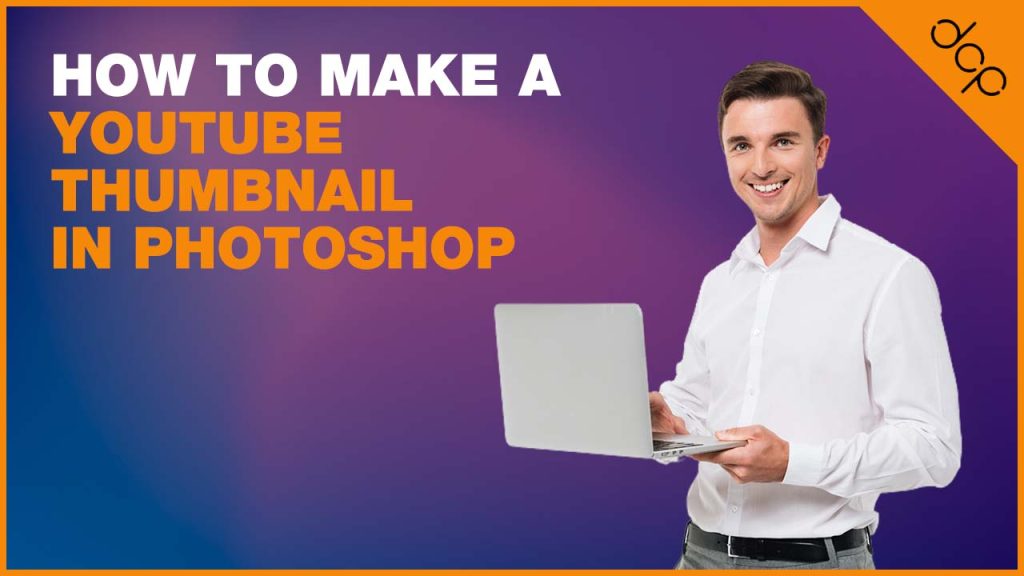
How to make a custom thumbnail for YouTube videos using a Photoshop tutorial
Did you know that you can upload a custom thumbnail for your YouTube videos? Having control over the content in your YouTube thumbnails can help to improve your video click-through ratios.
Custom thumbnails can be easily created using Adobe Photoshop and you can add your own text with clearer messaging about the content of your video.
I also recommend incorporating your company brand into the thumbnail design as you can see in the above image.
Watch my free video tutorial for creating custom thumbnails in Adobe Photoshop.
Download content for this tutorial:
Video Tutorial Content
- Introduction for Photoshop YouTube custom thumbnail
- Create a new Photoshop file 1280 x 720 pixels
- Create an image border (Optional)
- Create a triangle for your logo in the corner
- Add a background (Choose any colour you like)
- Add the main text content
- Add the optional Photoshop logo
- Download the computer desk image and add it to the artwork
- Add a gradient layer behind the main text
- Overlay new content on the monitor screen (optional)
- Change main text colour (optional)
- Save artwork and export it as a JPG file
Video tutorial for custom YouTube thumbnails
YouTube custom thumbnail FAQs
What is the best size for a YouTube thumbnail
As noted on the YouTube thumbnail support page, the thumbnail uploaded to YouTube should be 1280 x 720 pixels (720p resolution).
Thumbnails should also be under 2MB file size.
When you export the thumbnail artwork work from Photoshop you can also compress the image. In most cases, you will not need to do this as most exported files should be under 2MB file size.
Can I change my YouTube thumbnail?
Yes, you can, if you find that your current custom thumbnail is not getting any clicks then you can easily create a new thumbnail and upload it to YouTube replacing the old one. I often change the thumbnails on videos that are not getting any traction on YouTube to see if I can improve user engagement.
Should I add text to my YouTube thumbnails?
Adding text really depends if it helps people to better understand what your video is about. I create a lot of “How To” videos so adding some text to briefly explain what the video is about can help. You should experiment with different styles of thumbnails to see what works best for your YouTube channel.
Tip: Why not try and create a custom YouTube subscribe link which you can share and use in social media and blog posts?
- Custom web design
- Secure and fast website solution
- Full management training
- Take control of your website
- SEO optimisation
- Reliable web hosting and emails
YouTube custom thumbnail tutorial by: DCP Graphic Designers in London

