

In this video tutorial, I will show you how to remove background from images using the Icon8 AI Background Remover tool.
Remove background from images
There are many different tools you can use to remove backgrounds from images such as Photoshop or GIMP image editing software.
However, Photoshop is a paid application and GIMP requires installation on a computer.
Not to worry! Simply give Icon8 Background Remover tool a try, it is free to use and online so no need to install any software applications.
Step 1 Download Images
To test the background remover you can use the following free images:
People Images:
https://unsplash.com/photos/3TLl_97HNJo
https://unsplash.com/photos/mEZ3PoFGs_k
https://unsplash.com/photos/mVGW8j9rrC4
Animals:
https://unsplash.com/photos/2l0CWTpcChI
https://unsplash.com/photos/NE0XGVKTmcA
https://unsplash.com/photos/G8cB8hY3yvU
Background:
Step 2. Go to the free background removal tool
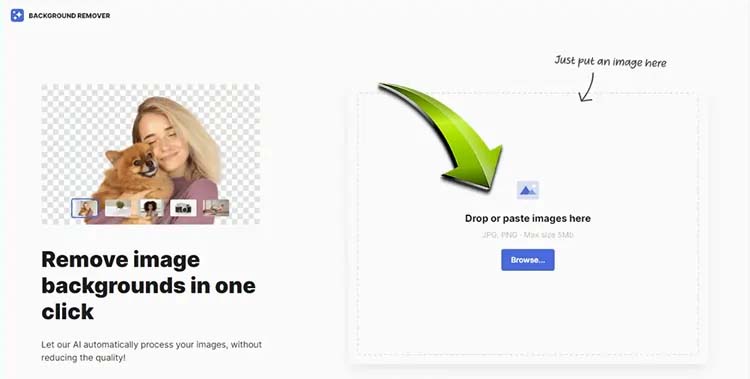
The icon8 Background Remover tool can be found here: https://icons8.com/bgremover
Step 3. Drag and drop an image to remove the background
Note: You can either use the example images noted above or drag and drop your own images.
Step 4. Wait 30 seconds for the AI tool to remove the background
Once completed you will see the original image on the left side and the new image with the removed background on the right side.
You can select the “Blue” download button to download the image in PNG transparent file format.

On the right side, you will see options to:
Add Background
After selecting this option you have a choice of either adding a:
- Solid colour background
- Adding a specific colour code
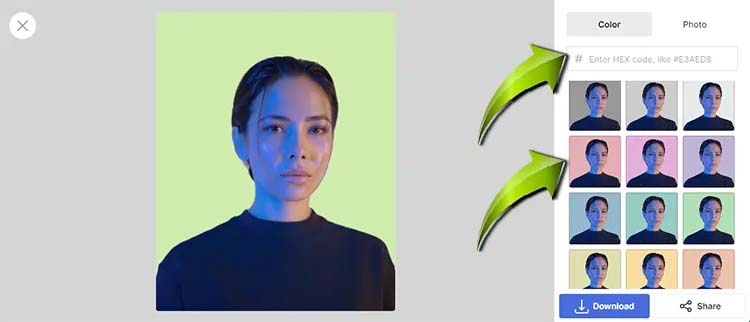
Select the “Blue” download button to download the image in JPG format.
In the top right corner, you will see an option to add a photo for the background
- You can scroll and search through the images or you the search box
- There is also an option to upload your own image
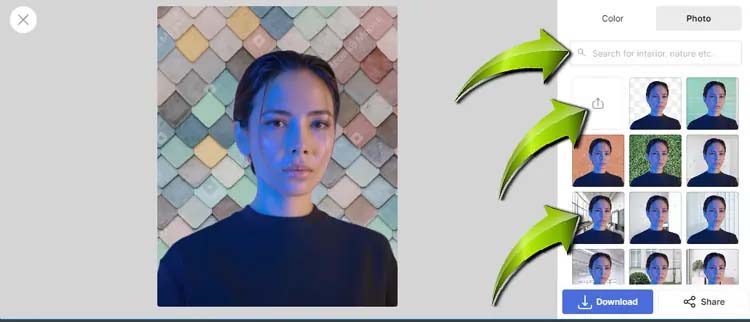
Select the “Blue” download button to download the image in JPG format.
- Custom web design
- Secure and fast website solution
- Full management training
- Take control of your website
- SEO optimisation
- Reliable web hosting and emails
Article by Pankaj Shah: DCP Ilford Web Designers

