

HTTP status codes are three-digit responses returned by a web server when a request is made by a client, such as a browser. These codes provide insight into the status of the request, indicating whether it was successful, redirected, or resulted in an error.
Understanding these codes is essential for web developers, server administrators, and even curious users. Let’s break them down into categories for better clarity.
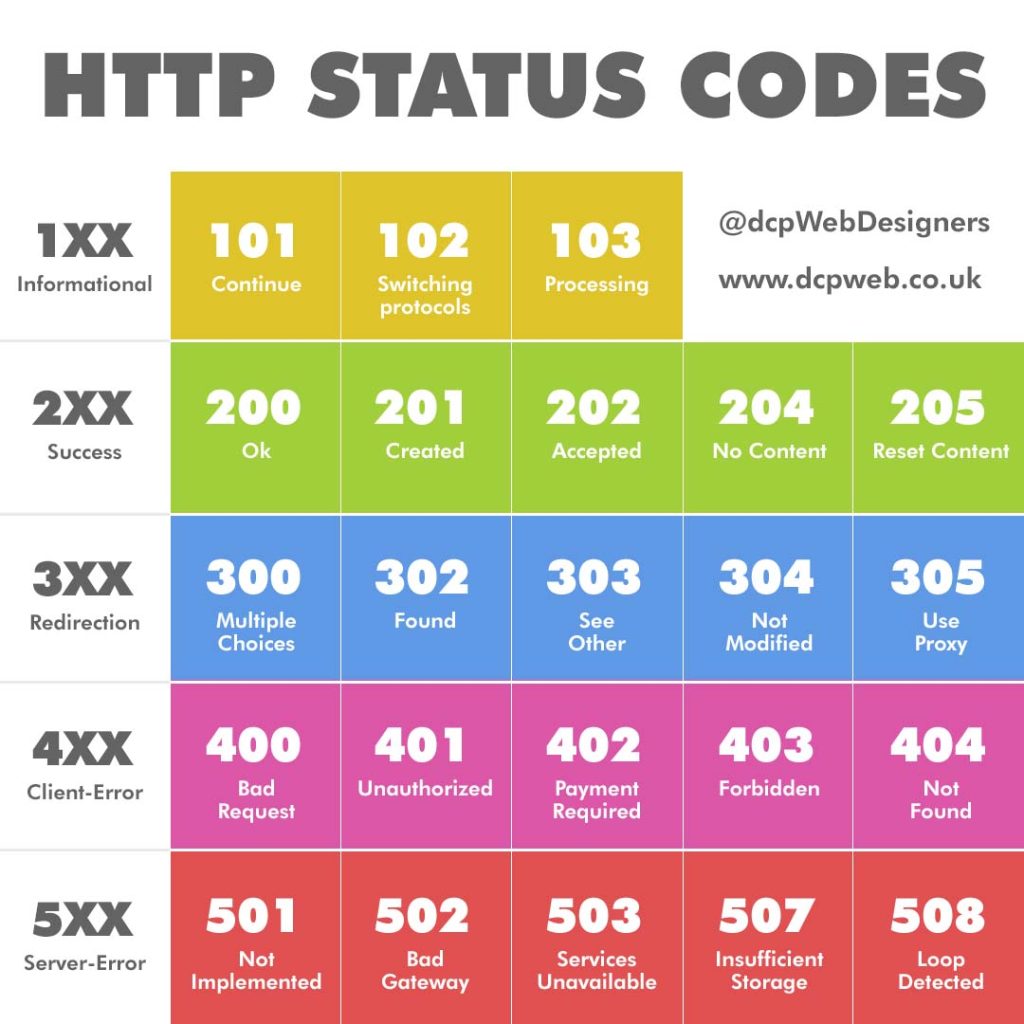
1XX – Informational
Informational responses indicate that the server has received the request and is continuing the process.
101 – Continue
This code tells the client that the initial part of the request has been received and it can proceed with the rest. It’s primarily used when a request includes a Expect: 100-continue header.
102 – Switching Protocols
Sent when the server agrees to switch protocols, typically when upgrading from HTTP/1.1 to HTTP/2 or switching to WebSockets.
103 – Processing
Used mainly in WebDAV applications, this status indicates that the server has received and is processing the request, but no response is available yet.
2XX – Success
These status codes indicate that the client’s request was successfully received, understood, and accepted.
200 – OK
The standard success code. It means the request was processed successfully and the response contains the requested content.
201 – Created
Returned when a new resource is successfully created on the server. Commonly used with POST requests.
202 – Accepted
The request has been received but not yet acted upon. It may be processed later. Often used in asynchronous processes.
204 – No Content
The server has successfully fulfilled the request but there is no content to return. It’s useful when updating data without needing a response body.
205 – Reset Content
This status indicates that the client should reset the document view. Typically used in form submissions to clear the input fields.
3XX – Redirection
Redirection codes tell the client that further action is needed to complete the request, often pointing to a different URL.
300 – Multiple Choices
Indicates that there are multiple options for the resource the client may follow. A browser might display these choices to the user.
301 – Moved Permanently
The requested resource has been permanently moved to a new URL. This is crucial for SEO, as search engines update their indexes accordingly.
302 – Found
The resource is temporarily located at a different URL. Unlike 301, this tells search engines not to update the stored URL.
303 – See Other
Instructs the client to retrieve the resource from a different URI using a GET request. Commonly used after a PUT or POST method.
304 – Not Modified
Indicates the resource has not been modified since the last request. This is useful for caching, saving bandwidth and improving speed.
305 – Use Proxy
Tells the client to access the requested resource through a proxy server. This status is now deprecated due to security concerns.
4XX – Client-Error
These codes mean that there was an error from the client’s side — the request was malformed or could not be fulfilled.
400 – Bad Request
A generic error when the server cannot understand the request due to malformed syntax, missing parameters, or invalid formatting.
401 – Unauthorized
Indicates that authentication is required and has failed or has not yet been provided. It’s commonly seen in login-protected areas.
402 – Payment Required
Originally intended for digital payment systems, this code is not widely used but reserved for future purposes involving payment.
403 – Forbidden
The server understood the request but refuses to authorise it. This is different from 401, as re-authenticating will not help.
404 – Not Found
Probably the most well-known status code, this indicates the server cannot find the requested resource. It’s a staple of broken links or moved content.
5XX – Server-Error
Server-error responses mean the request was valid, but the server failed to complete it.
501 – Not Implemented
The server does not recognise the request method or lacks the ability to fulfil it. This typically applies to unsupported features.
502 – Bad Gateway
This error occurs when a server acting as a gateway or proxy receives an invalid response from an upstream server.
503 – Services Unavailable
The server is currently unable to handle the request due to maintenance or overload. It’s usually a temporary condition.
507 – Insufficient Storage
A WebDAV-specific code indicating the server is unable to store the representation needed to complete the request.
508 – Loop Detected
Also related to WebDAV, this code shows that the server detected an infinite loop while processing the request.
Final Thoughts
HTTP status codes are an essential part of the web. They provide important information to browsers, users, and developers about the state of a request. Whether you’re debugging a 404 error, implementing redirects with 301 and 302, or monitoring server performance using 503 responses, knowing these codes helps keep your website efficient, secure, and user-friendly.
By familiarising yourself with these status codes, you can better understand server responses, optimise user experience, and troubleshoot issues effectively. From the success of a 200 to the frustration of a 404, each code tells a story, it’s up to you to interpret and act on it.

