

Google AdWords, a crucial tool for businesses keen to harness the power of online advertising, can appear daunting for beginners. However, with a structured approach, anyone can access its full potential. This guide seeks to demystify Google AdWords and equip beginners with the necessary skills for effective usage.
Understanding Google AdWords
Google AdWords, now rebranded as Google Ads, is an online advertising platform created by Google. Advertisers compete to display brief adverts, service offerings, product listings, or videos to web users. The platform places ads on Google Search results and various non-search websites, mobile apps, and video platforms.
1. Setting Up Your Google Ads Account
Start by setting up a Google Ads account, a straightforward process that requires a Google account. Once established, acquaint yourself with the dashboard’s layout. The interface is user-friendly, guiding you through the creation of your first campaign.
2. Understanding Campaign Types
Google Ads offers a range of campaign types, each serving different marketing objectives. Here are some of them:
- Search Network Campaigns: Text adverts on Google search results
- Display Network Campaigns: Adverts across a wide network of websites
- Shopping Campaigns: Ideal for e-commerce since they showcase products
- Video Campaigns: Adverts on YouTube and other video platforms
- App Campaigns: Targeted to drive app installations and engagement
- Performance Max (PMax) Campaigns: Focus on conversion goals by utilising Google’s machine learning to optimise ads across its properties, including Google Search, Display Network, YouTube, Gmail, and Google Maps—ensuring a wide visibility and audience targeting
- Smart Campaigns: Simplified ad creation and management using automation for small businesses or beginners
- Local Campaigns: Designed to drive foot traffic to physical locations, leveraging automated bidding and ad placements
Understanding each type’s nuances and best practices, as one might learn from industry experts like Claire Jarrett from Jarrett Digital, is key to effectively reaching and engaging your audience.
3. Keyword Research And Selection
- Broad Match: The default type that captures a wide audience, including searches with similar phrases, synonyms, and related terms
- Phrase Match: More specific, showing your ad for searches that include your keyword in its exact order, possibly with additional words
- Exact Match: The most precise, displaying your ad for searches that closely match or have the same meaning as your keyword
4. Crafting Effective Ads
- A Captivating Headline: Grab attention immediately, such as ‘Same-Day Custom T-Shirt Printing Services,’ clearly stating the service offered.
- A Distinct Value Proposition: Highlight what sets your service apart, such as ‘High-quality, affordable t-shirt printing for all occasions, with various styles and quick delivery.’
- A Call-To-Action (CTA): Guide your audience on what to do next. For example, ‘Design Your T-Shirt Today’ or ‘Get 10% Off on Your First Order!’ is an effective CTA. It instructs the customer and provides an incentive to act promptly.
5. Structuring Ad Groups
Ad groups are crucial for organising your Google Ads campaigns. They categorise adverts by themes or products, enhancing ad relevance and effectiveness:
- Theme-Based Organisation: Group ads by specific themes, like different T-shirt styles in a printing business. This targets ads to appropriate audience segments.
- Targeted Keywords: Each ad group focuses on keywords relevant to its theme, improving ad visibility to users searching for those terms.
- Higher Click-Through-Rate (CTR) And Quality Score: Well-structured ad groups lead to more relevant ads, increasing the likelihood of clicks (CTR) and improving Google’s Quality Score, which can reduce costs and improve ad positioning.
- Simplified Management: With ads organised into focused groups, monitoring and optimising campaign performance is easier.
Ad groups should contain thematically similar ads and keywords, ensuring targeted and effective advertising.
6. Landing Pages
The landing page is a critical component of your ad campaign, where the promises of your advert are actualised:
- Match Ad Content: The landing page should directly mirror the promises made in your ad. For example, for ads promoting ‘Same-Day Custom T-Shirt Printing Services,’ the landing page needs to highlight this fast service. Use a consistent value proposition, like ‘Personalised tees printed with no delay,’ to reiterate the speed and convenience offered.
- Concise, Relevant Content: Include key information about your services, along with customer testimonials and clear imagery, to build credibility and align with the ad’s messaging.
- Clear CTA: Use a straightforward CTA, like ‘Print Today, Wear Tomorrow! Order Now,’ to prompt immediate action.
- User-Friendly Design: Aim for an intuitive and easy-to-navigate layout to enhance the user experience and encourage engagement.
In essence, the landing page should continue the narrative of your ad, creating a cohesive and compelling path to conversion.
7. Bidding Strategies
- Maximise Conversions: This automated approach aims for the highest possible conversions within your budget, ideal for sales or sign-ups focused campaigns.
- Manual CPC (Cost-Per-Click) Bidding: This offers full control over your bids, setting the maximum amount you pay per click. It’s suitable for those who prefer hands-on bid management.
- Maximise Clicks: This is an automated strategy to get the most clicks within your budget. It’s best for campaigns prioritising website traffic.
8. Monitoring And Optimising Campaigns
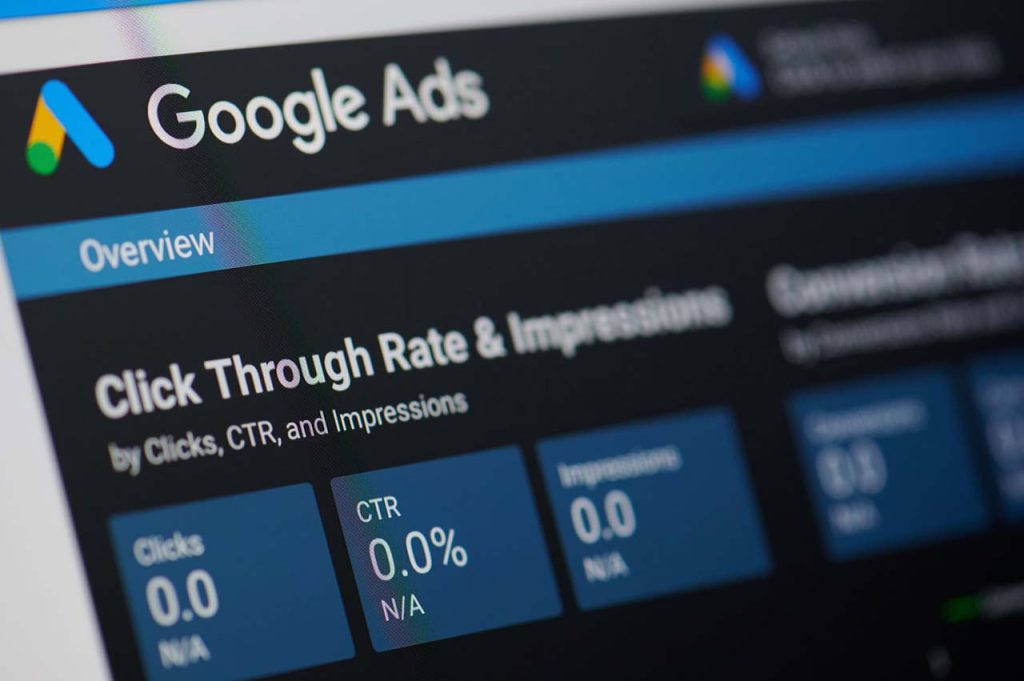
Post-launch, closely monitor your campaign’s performance. Utilise Google Ads’ analytics to track metrics such as CTR, conversion rate, and quality score. Regularly optimise your campaigns by adjusting keywords, ad copy, and bids. For agencies managing multiple client accounts or expanding their service offerings, partnering with a white label Google Ads agency can provide scalable support and expert-level campaign management under their own brand.
9. Understanding Quality Score
Quality score is Google’s evaluation of your keywords and adverts’ relevance and quality. A higher quality score can result in lower costs and better ad placements. Focus on enhancing ad relevance, landing page quality, and CTR.
10. Utilising Ad Extensions
Ad extensions offer additional information, potentially boosting your ad’s performance. These include call, location, and site link extensions, making your ad more prominent and visually appealing, thus likely increasing CTR.
11. Managing Your Budget
Effective budget management is vital. Begin with a modest budget, test your ads, and incrementally increase spending as you discern what is effective. Keep a vigilant eye on your return on investment (ROI) and adjust your budget as needed.
Wrap Up
Mastering Google Ads as a beginner demands patience and continual learning. Remember, success with Google Ads is not just about following these steps but also about adapting to changes in online behaviours and the platform itself. Stay informed, experiment, and refine your strategies for optimal results.
- Custom web design
- Secure and fast website solution
- Full management training
- Take control of your website
- SEO optimisation
- Reliable web hosting and emails
Article by Pankaj Shah: DCP Web Designers

