

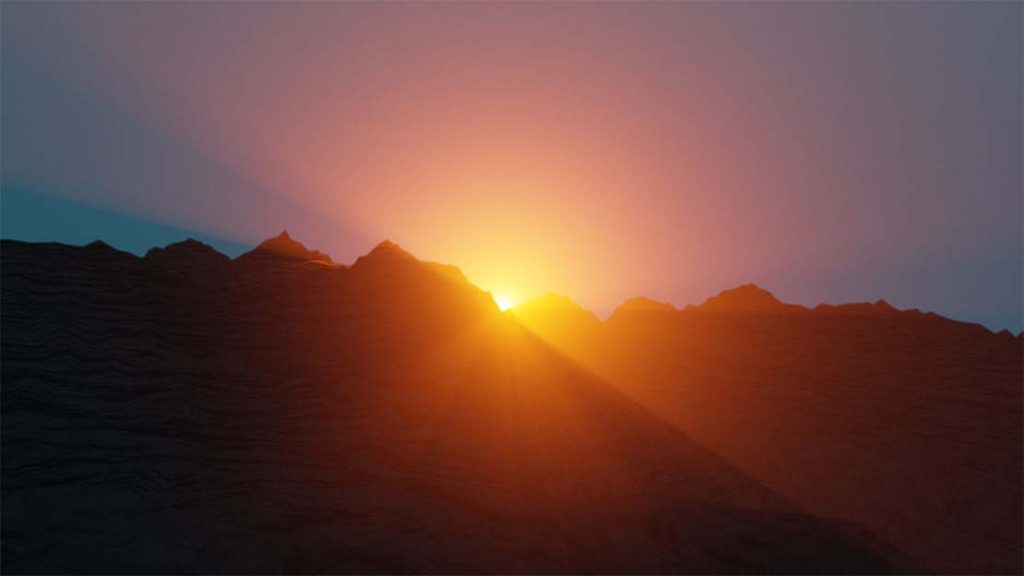
In this first part of this Blender 2.8 Mountains and Sunrise Tutorial, we will create the mountains and add the light source for the sunrise.
We will add textures and materials for the mountains.
I will also show you how to add a photograph in the background for the sky.
Here are the concepts covered in this video tutorial:
- Enable the Add Mesh A.N.T Landscape Blender plugin
- Create a large terrain
- Subdivide the mesh
- Use edit mode to select vertices
- Use proportional editing to create mountain ridges
- Add a sunlight
- Use the Blender node editor to create a bump map for landscape texture
- Add a spotlight to simulate the sun
- Add volumetric lighting using the node editor
- Add bloom to enhance the sunlight effect
- Download the image and use the background for the mountain scene
Once you have completed the first part of this tutorial you will have a good understanding of how to create landscapes using Blender.
In Part 2 of this tutorial, we will animate our Mountains and Sunrise work.
Example Landscape Blender Render
See how my company can build an amazing website for your business
- Custom web design
- Secure and fast website solution
- Full management training
- Take control of your website
- SEO optimisation
- Reliable web hosting and emails
Video Tutorial By Pankaj Shah | Blender 3D Tutorials

