pankaj shah

I hope you enjoy reading our blog posts.

If you want DCP to build you an awesome website, click here.

Premiere Pro Green Screen Effects Tutorial

In this video tutorial, I will show you how to use green screen content in Adobe Premiere Pro. 

Premiere Pro Green Screen Effects Tutorial

Learn Premiere Pro green screen in 3 minutes!

We will use the Adobe Premiere Ultra Key Video Effect to remove the green content from a video clip and overlay it with another video clip. In this Premiere Pro Green Screen Tutorial, I will also show you how to stack video content correctly when using green screen video content.

Watch my free green screen in the Premiere Pro tutorial.

Download tutorial content:

Premiere Pro Green Screen TutorialKotwica

Remove background in Photoshop

Green screen tutorial – step by step guide

1. Download the following video clips:

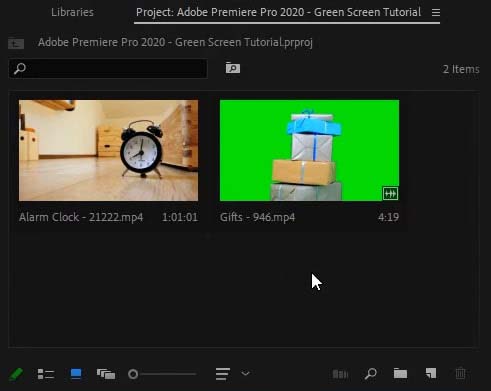
2. Create a new Premiere Pro project and Import the video clips.

import videos into premiere pro

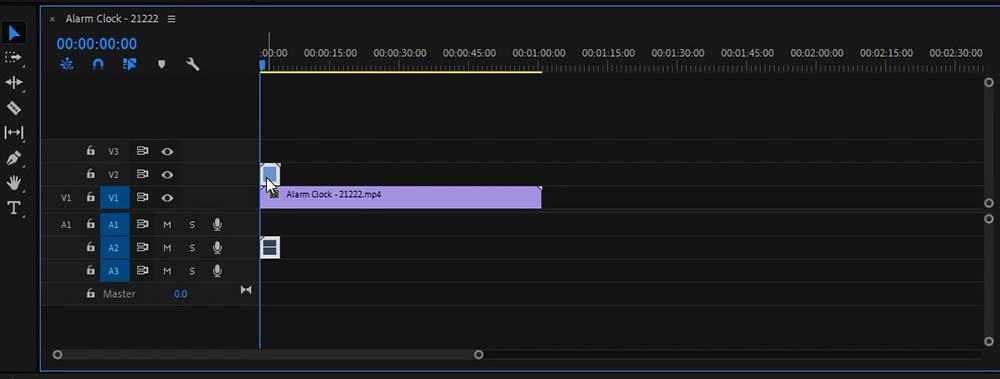
3. Add the video clips to the timeline.

add videos to time line

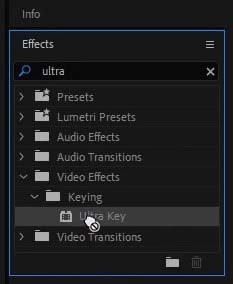
4. Apply the Premiere Pro Ultra Key effect to the green screen video clip on the timeline.

Tip: Search for “Ultra” in the effect panel, then simply drag and drop the ultra key onto the video clip.

apply the ultra key effect to the green screen video clip

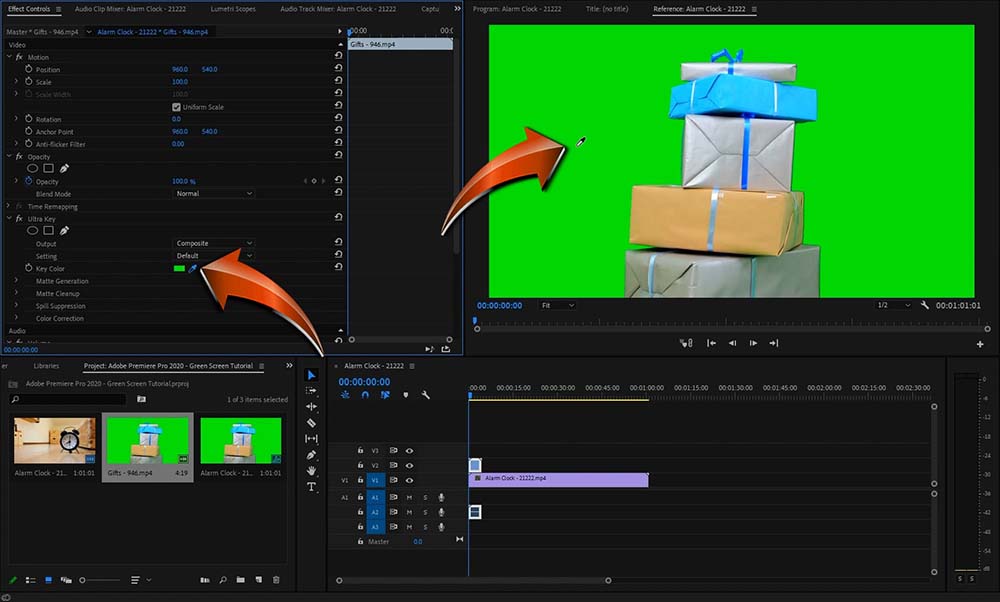
5. Select the colour picker tool in the ultra key setting and then click on the green content in the green screen video clip.

ultra key colour picker tool

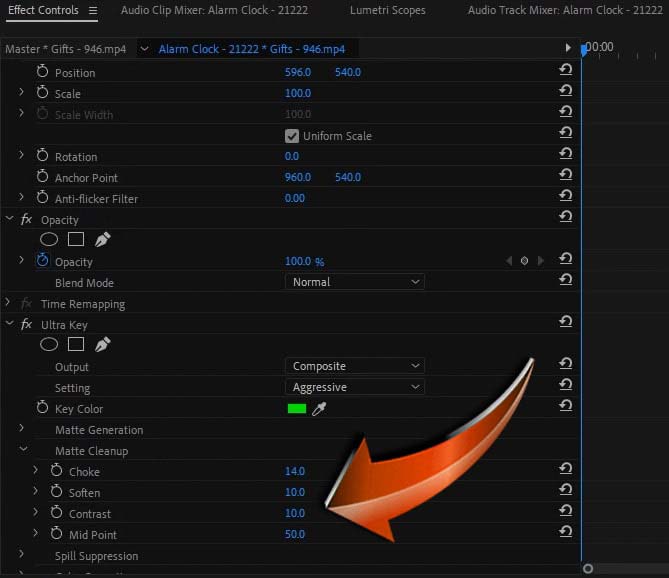
6. Tweak the ultra key settings to improve the removal of the green screen if required.

tweak ultra key setting

7. Below you can see an example of before and after green screen removal.

before and after green screen removal

#AdobePremierePro #Tutorial #dcpweb

Need an awesome website for your business? – Simply contact DCP Web Designers for a free quote today.

Subscribe to access 600+ video tutorials: https://www.youtube.com/dcpwebdesigners

Adobe Premiere Pro Green Screen FAQs

What version of Premiere Pro is best?

In the tutorial video above I used Premiere Pro 2021. In the latest version of Premiere, you will have access to the Ultra Key tool. This tool is also available in older versions of Adobe Premiere Pro.

Does the background have to be green?

No, the background can be any colour, but should not be constant with the foreground colour. In most filming setups the background is either green or blue.

Should I use studio lights when filming?

It is a good idea to have adequate lighting when filming for any project. Make sure your green screen cloth a matt and not reflective.

See how my company can build an amazing website for your business

Article by Pankaj Shah: DCP Web Designers in London

Tell Us Your Thoughts