

In the digital age, content creators are in a constant search for tools that not only enhance their creativity but also do so without breaking the bank. Free video editing software has emerged as a beacon for aspiring filmmakers, vloggers, and businesses looking to polish their video content.
With features previously reserved for premium video editing suites, these free versions now offer advanced tools like colour grading, audio mastering, and 4K video capabilities, making professional-level video editing accessible to all.
Among the plethora of options, software like DaVinci Resolve by Blackmagic Design and Adobe Premiere Rush stand out for their generous free versions that cater to both beginners and experienced video editors.
These platforms have revolutionised the editing process, enabling content creators to produce high-quality video projects on operating systems spanning Windows 10, Windows 11, Apple Mac and even Linux users.
The evolution of these tools reflects a significant shift towards inclusivity and accessibility in video editing technology.
Article Index
- Introduction to the World of Free Video Editing
- Top Picks for Best Free Video Editing Software
- Deciding on the Right Video Editing Software
- Navigating the World of Video Editing
- Common Questions Answered
- Expert Tips for Aspiring Video Editors
- The Future of Video Editing
- Final Thoughts: Choosing the Best Free Video Editing Software
Introduction to the World of Free Video Editing
The realm of free video editing software is vast, offering tools that cater to a wide array of needs, from quick social media posts to complex video projects.
For Mac users, Apple iMovie provides a seamless video editing experience, while Adobe Premiere Rush offers fast, cross-platform video editing solutions, including web-based video options for those constantly on the move. These tools have democratised video editing, allowing anyone with a computer or smartphone to create visually stunning content without hefty investments.
The Evolution of Video Editing Software
Video editing software has undergone a remarkable transformation, evolving from rudimentary tools to sophisticated platforms capable of handling complex video projects.
This evolution was propelled by advancements in operating systems, which provided the necessary infrastructure for the development of more powerful and intuitive video editing solutions.
Today, users have access to a wide range of features that were once exclusive to professional studios, making it easier than ever to create high-quality video content.

What Makes a Video Editor Stand Out?
In a sea of options, video editing software that supports a broad spectrum of operating systems stands out, offering versatility and accessibility to a diverse user base.
The distinguishing features include intuitive interfaces, a wide range of video effects, and support for various video formats, enabling content creators to bring their visions to life with ease.
Advanced features such as video stabilisation and AI-powered tools further set apart high-quality video editors by simplifying complex editing tasks and enhancing the overall quality of the video projects.
Top Picks for Best Free Video Editing Software
Selecting the best free video editing software depends on the user’s specific needs, from basic trimming and cropping to advanced colour correction and motion graphics.
1. DaVinci Resolve - The All-In-One Suite
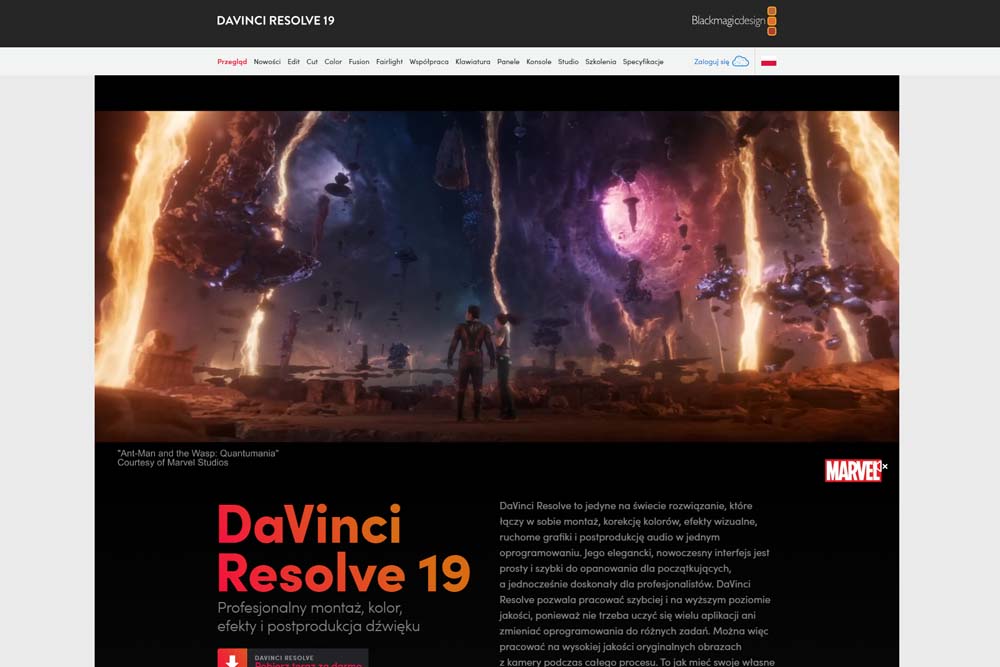
DaVinci Resolve stands as a comprehensive video editing suite, beloved by experienced video editors for its robust features. It allows users to upload directly to various platforms, streamlining the editing process. The studio version offers even more advanced editing capabilities for those seeking to dive deeper into the world of video production.
Specifications
DaVinci Resolve excels with its advanced motion graphics and colour correction tools, appealing to content creators seeking to enhance their videos on both desktop and mobile platforms. Its capabilities cater to a wide range of video editing needs, making it a versatile choice for individuals and teams alike.
Reasons to Use
Content creators opt for DaVinci Resolve due to its comprehensive features that cover everything from basic video cuts to complex color grading and audio mastering. Its generous free version offers a suite of advanced tools typically reserved for premium software, making it an attractive option for those looking to produce high-quality content without the high cost.
Reasons to Avoid
While DaVinci Resolve is a powerhouse for video editing, its extensive features may overwhelm beginners. The learning curve can be steep for those new to video editing, and some advanced features require a more powerful computer to run smoothly, potentially limiting accessibility for users with older hardware.
2. Movavi Video Editor - For Stylish Effects and AI Tools
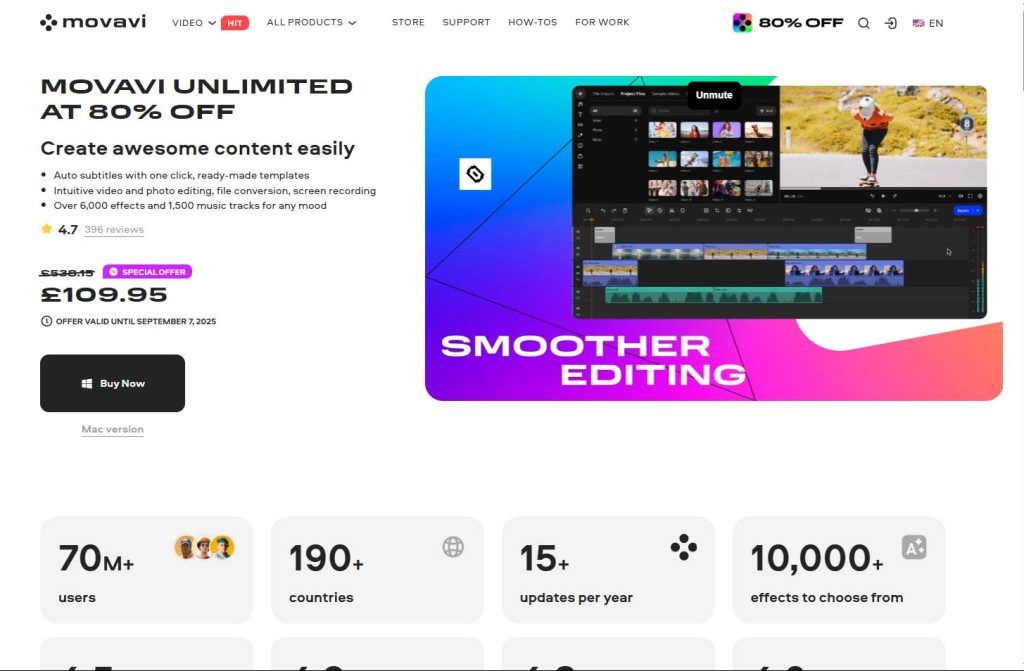
Movavi Video Editor focuses on a clean, friendly workflow on PCs to let any user create stunning videos. It’s designed for those that need fantastic results quickly and easily, while still offering useful tools as skills grow.
Specifications
As desktop editing software for Windows and macOS, Movavi Video Editor provides a multi-track timeline with keyframe controls. Users can play with hundreds of drag-and-drop effects, find the perfect track in the music library, or test themselves with advanced video and audio features. The AI toolkit covers options to streamline common edits for social content and tutorials.
Reasons to Use
Movavi Video Editor’s interface is uncomplicated, making it easy to learn, and the presence of stylish effects and AI tools genuinely cut routine work and help make something unique. For many creators, that balance of simplicity, fashion, and modern assist makes it a practical everyday editor.
Reasons to Avoid
Movavi Video Editor has its benefits, but it doesn’t mean there aren’t limitations. Pro creators or those users that got used to a certain level of customization may find the software somewhat restrictive. The software’s grading, VFX, and audio editing tools are less extensive than heavyweight professional suites.
3. Apple iMovie - Best for Mac Users
pple iMovie shines as the go-to free video editing software for Mac users, offering a user-friendly interface that emphasises simplicity. Its integration with the iCloud Photo Library and the broader Apple ecosystem allows for seamless drag and drop of clips, making it an ideal tool for quick video edits.
Specifications
iMovie supports a range of motion graphics and color correction features, tailored specifically for content creators using desktop and mobile Apple devices. Its focus on ease of use does not compromise the quality of video editing capabilities, offering a balance between simplicity and functionality.
Reasons to Use
Mac users appreciate iMovie for its straightforward video editing process, free tools for enhancing audio quality, including background noise reduction, and its ability to easily integrate video clips from the iCloud Photo Library. Its emphasis on simplicity, coupled with powerful video editing capabilities, makes it an attractive option for those within the Apple ecosystem.
Reasons to Avoid
Despite its strengths, iMovie may not satisfy content creators looking for advanced editing features. Its focus on simplicity can limit users who wish to explore more complex video production techniques. Additionally, being exclusive to the Apple ecosystem means Windows and Linux users are unable to access this software, limiting its reach.
4. Adobe Premiere Rush - Fast Edits Across Devices
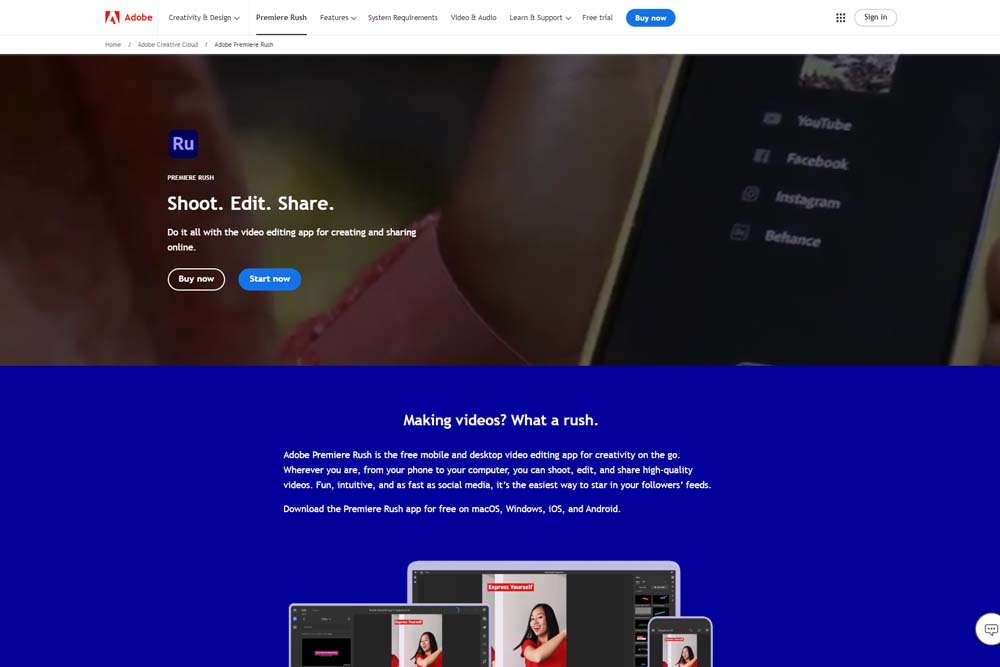
Adobe Premiere Rush caters to content creators requiring fast, efficient video edits across multiple devices. Its support for vertical video and various aspect ratios makes it ideal for social media content, offering flexibility and ease of use for on-the-go editing.
Specifications
With an emphasis on motion graphics and colour correction, Adobe Premiere Rush is designed for content creators who need to quickly refine their videos without sacrificing quality. Its streamlined interface and cloud integration facilitate seamless editing across desktop and mobile platforms, enhancing productivity for busy creators.
5. Wondershare Filmora - Ideal for Beginners
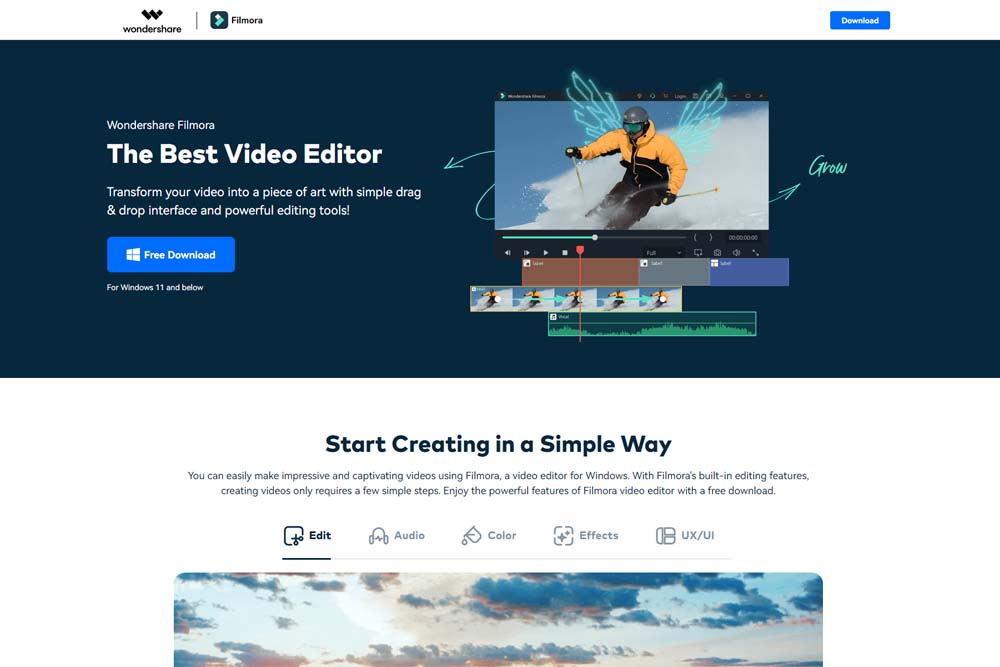
Wondershare Filmora stands out as an entry-level video editing tool that simplifies the editing process for beginners. With its user-friendly interface and a wide array of basic to advanced editing features, Filmora is designed to make video editing as straightforward as possible for those just starting out. Despite being aimed at novices, the software does not compromise on the quality of the final video product, making it a great first step into the world of video editing.
Specifications
Filmora offers a range of specifications tailored to new editors, including robust colour correction tools that help in enhancing the visual appeal of videos. The software supports various video formats, allowing users to work with different types of files with ease. Additionally, Filmora provides a collection of pre-made effects, transitions, and titles, enabling users to add a professional touch to their projects without needing extensive editing experience.
Reasons to Use
Filmora is an excellent choice for beginners due to its intuitive interface that simplifies the editing process. The software comes with a vast library of pre-made effects, transitions, and templates, making it easy to create visually appealing videos without prior editing knowledge. Its robust color correction tools allow users to enhance the visual quality of their videos, making Filmora a versatile tool for creating professional-looking content on a budget.
Reasons to Avoid
While Filmora is ideal for beginners, more experienced editors might find its features limited. The software’s focus on ease of use means that it lacks some of the advanced capabilities found in professional-grade video editing software. Additionally, some users may experience limited access to all features in the free version, which could necessitate upgrading to the paid version for full functionality.
6. Shotcut - The Open Source Powerhouse
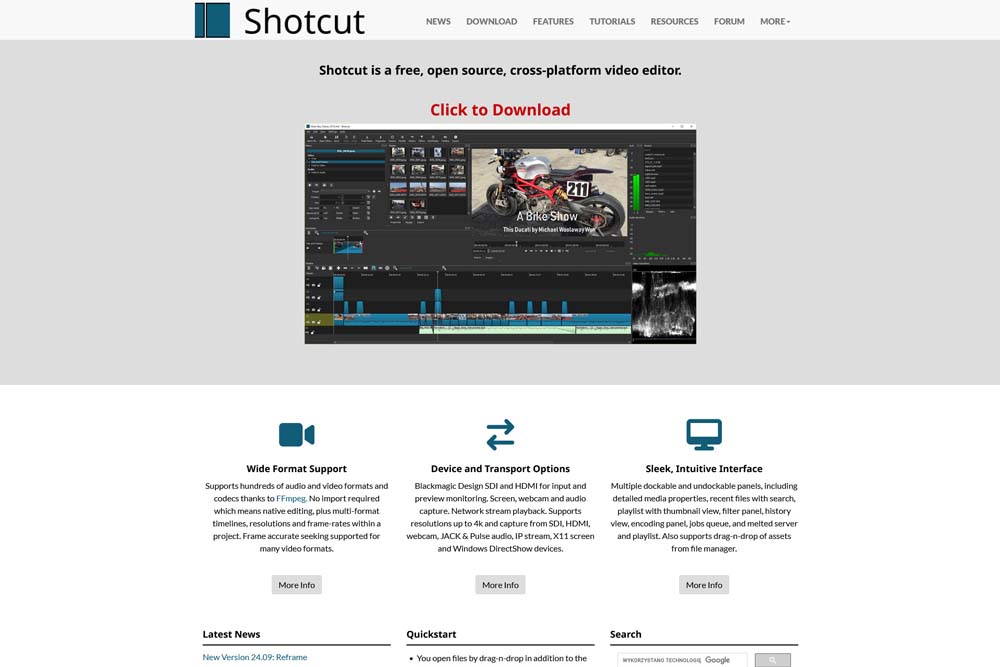
Shotcut is a powerful, open-source video editing software that offers extensive support across different video formats. It’s designed with an intuitive interface, making it accessible to both beginners and experienced editors. Shotcut stands out for its cross-platform video editing capabilities, allowing users to work seamlessly across different operating systems. Its comprehensive feature set and flexibility make it a strong contender in the realm of free video editing software.
Specifications
Shotcut boasts a wide range of specifications that cater to both novice and experienced editors. It supports a multitude of video formats, ensuring compatibility with almost any type of video file. The software integrates Blackmagic Design for input monitoring and capture, enhancing its utility for professional projects. With its mobile apps, Shotcut extends its functionality to editing on the go, while its intuitive interface simplifies the editing process across devices.
Reasons to Use
The open-source nature of Shotcut means it’s completely free to use without any hidden costs, making it an attractive option for budget-conscious users. Its support for a wide variety of video formats and compatibility with Blackmagic Design hardware are significant advantages for professional-grade projects. Shotcut’s intuitive interface and cross-platform video editing capabilities make it a versatile choice for editors looking to work across different devices and operating systems.
Reasons to Avoid
Despite its strengths, Shotcut’s open-source nature might present a steep learning curve for complete beginners due to its extensive feature set and customisation options. The software’s reliance on manual video exports can be time-consuming for users accustomed to more automated processes. Additionally, while it supports a wide range of video formats, navigating these without prior video editing experience can be challenging.
7. Adobe Express Video Editor - For Quick, Creative Edits
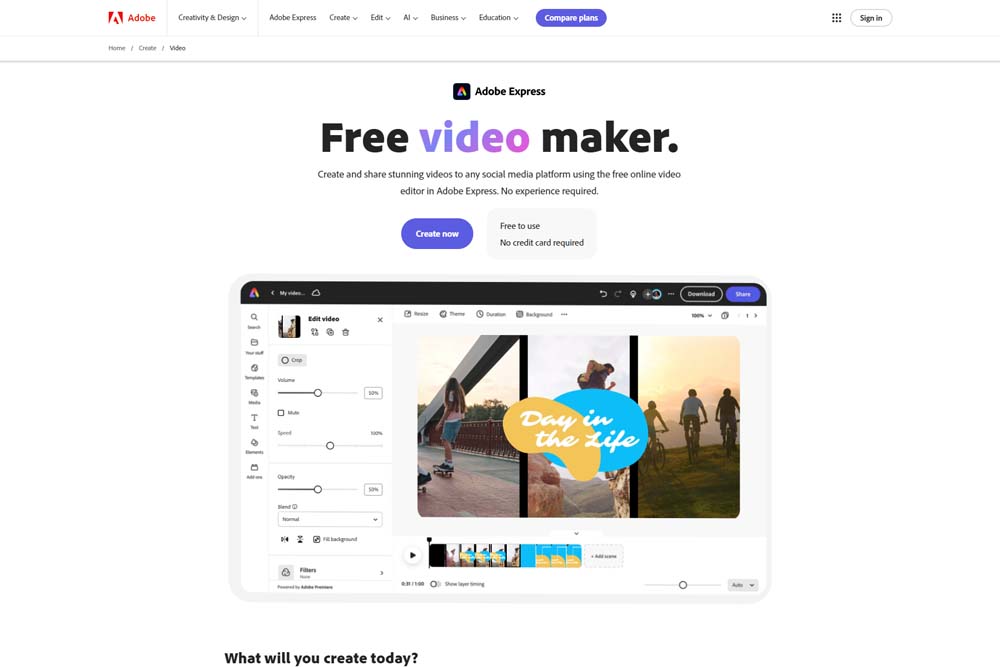
Adobe Express Video Editor is a streamlined video editing program designed for quick, creative edits. It provides users with the tools necessary for professional editing without the complexity of more advanced software. This makes it an ideal choice for individuals looking to produce high-quality video content quickly and easily. Adobe Express Video Editor’s focus on efficiency and creativity allows users to bring their visions to life with minimal effort.
Specifications
The Adobe Express Video Editor is built for speed and simplicity, offering a range of features that facilitate quick editing and content creation. It includes various templates and presets tailored for social media platforms, helping users create engaging content with ease. Despite its focus on simplicity, the program does not sacrifice quality, providing professional editing tools that ensure the final product is polished and impactful.
Reasons to Use
Adobe Express Video Editor is the go-to choice for users seeking a balance between fast editing and creative control. Its user-friendly interface and a wide selection of templates make it easy to create professional-looking videos in minutes. The software’s integration with Adobe’s cloud storage ensures that projects are accessible across devices, enhancing workflow efficiency. For those in need of quick, creative edits without the complexity of traditional video editing software, Adobe Express Video Editor is an excellent option.
Reasons to Avoid
While Adobe Express Video Editor excels in quick edits, it may not satisfy the needs of users seeking advanced editing capabilities. The software’s simplified feature set, designed for speed and ease of use, might be limiting for professional editors who require more control and customisation options. Additionally, some features are restricted to subscribers, which could deter users looking for a completely free editing solution.
8. Lightworks - Professional Grade for Free
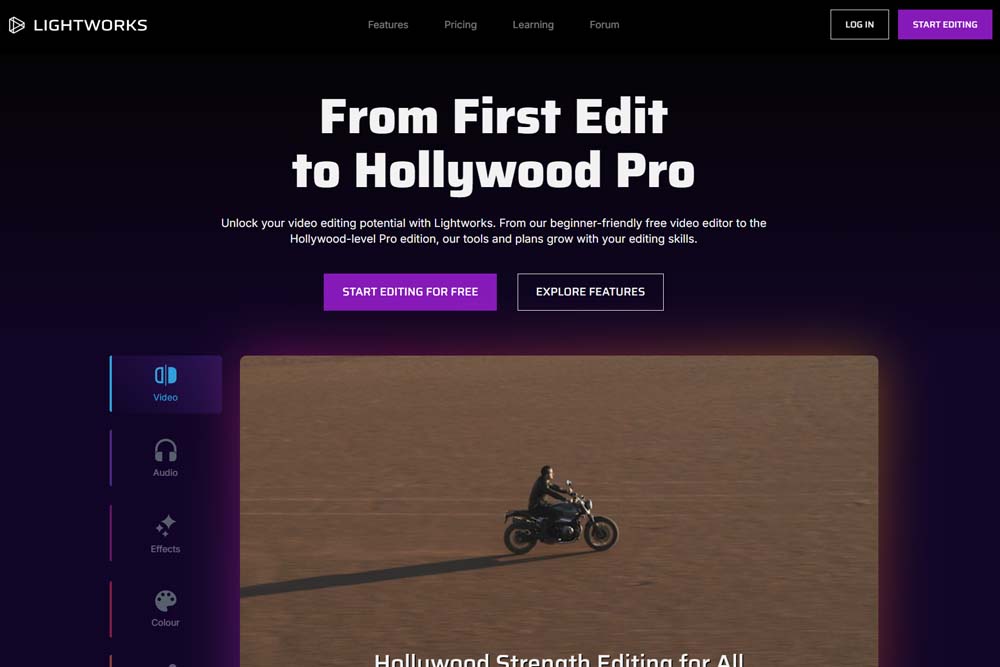
Lightworks is a professional-grade editing solution available for free, offering an expansive range of features that cater to both novice and experienced editors. Its comprehensive toolset allows for intricate editing work, making it a popular choice among professionals and hobbyists alike. Lightworks combines power and flexibility, providing users with the capabilities to produce high-quality video content without the financial investment typically associated with professional video editing software.
9. HitFilm - For Aspiring Filmmakers
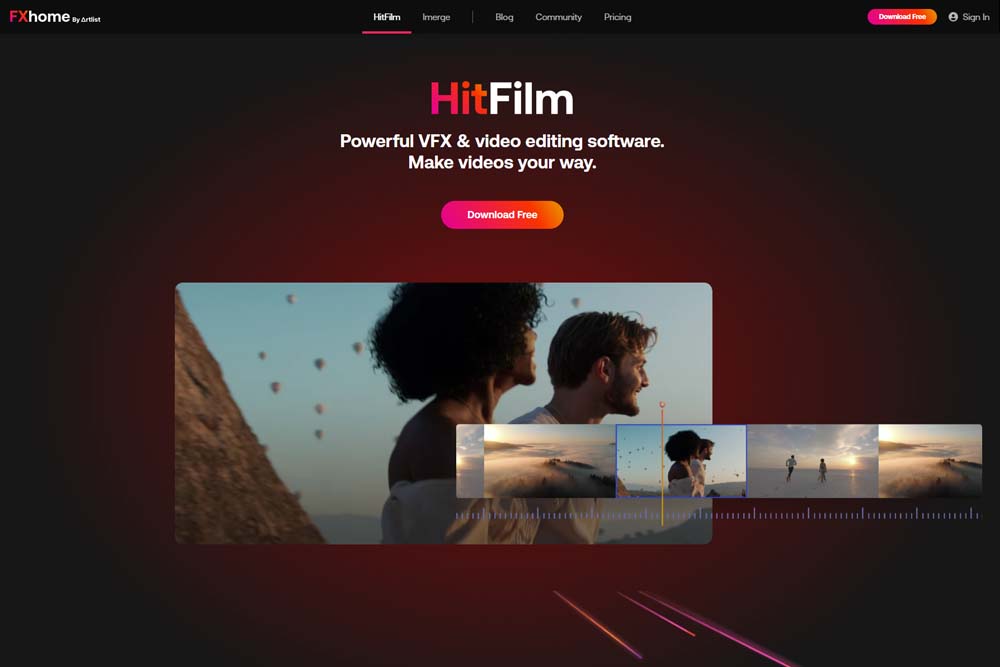
HitFilm shines as the go-to choice for aspiring filmmakers who are keen on crafting compelling stories without breaking the bank. With a blend of advanced visual effects and a library of stock assets, HitFilm Express is a powerful tool that transforms your video projects into cinematic experiences. The software caters to both novice and seasoned editors, offering a platform where creativity meets efficiency.
Specifications
HitFilm Express comes packed with features that appeal to filmmakers looking to step up their game. It includes a comprehensive range of visual effects, a vast library of stock assets, and a user interface designed for efficient workflow. The software supports various video formats, making it versatile for different project requirements. Additionally, its compatibility with both Windows and Mac operating systems ensures that it’s accessible to a wide audience.
Reasons to Use
The software’s standout feature is its extensive collection of visual effects which allows users to create professional-looking videos. Another compelling reason to choose HitFilm Express is its no-cost access to high-quality stock assets, including effects and music, which can elevate any project. The software’s support for detailed tutorials makes it an educational tool for users looking to enhance their video editing skills.
Reasons to Avoid
While HitFilm Express is a powerful tool, its steep learning curve may deter beginners from fully embracing it. The software’s reliance on powerful hardware to handle complex visual effects can also be a limitation for users with less capable systems. Additionally, some of the more advanced features and premium stock assets require payment, which might not suit users looking for entirely free solutions.
10. Clipchamp - Microsoft’s Answer to Online Editing
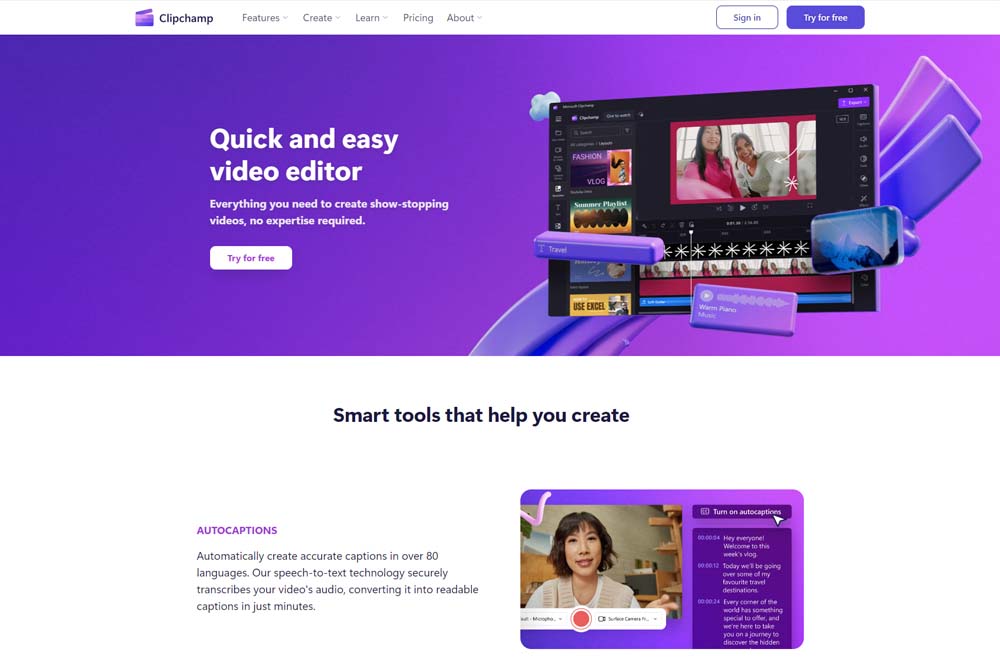
Clipchamp emerges as Microsoft’s innovative solution to web-based video editing, seamlessly integrating with Windows 11 to offer a user-friendly experience. It caters to users seeking a straightforward, browser-based video editor that doesn’t compromise on features. The platform’s emphasis on accessibility and ease of use makes it an appealing choice for quick edits and projects that require a fast turnaround.
Specifications
As a web-based video editing tool, Clipchamp is designed to work efficiently across various browsers, with special optimisations for Windows 11. It features an intuitive interface that supports multi-track video editing, making it possible to manage complex projects with ease. An internet connection is required to access its full range of features, including a library of templates and stock assets. Clipchamp’s cloud-based nature ensures that projects are easily shareable and accessible from any device.
Reasons to Use
Clipchamp’s integration with Windows 11 offers a seamless editing experience for users of the operating system, making it a convenient choice for quick edits. Its web-based nature means there’s no need to download heavy software, allowing users to start editing immediately. The platform also provides a wealth of templates and stock assets, which can greatly enhance the production value of projects without additional costs.
Reasons to Avoid
One downside of Clipchamp is its dependency on a stable internet connection, which can be a hindrance in areas with poor connectivity. Since it’s a web-based tool, users with limited or metered internet plans might find it less appealing. Additionally, while it offers a range of features, professionals might find it lacking in advanced capabilities compared to dedicated software.
11. OpenShot - Easy to Use for Beginners
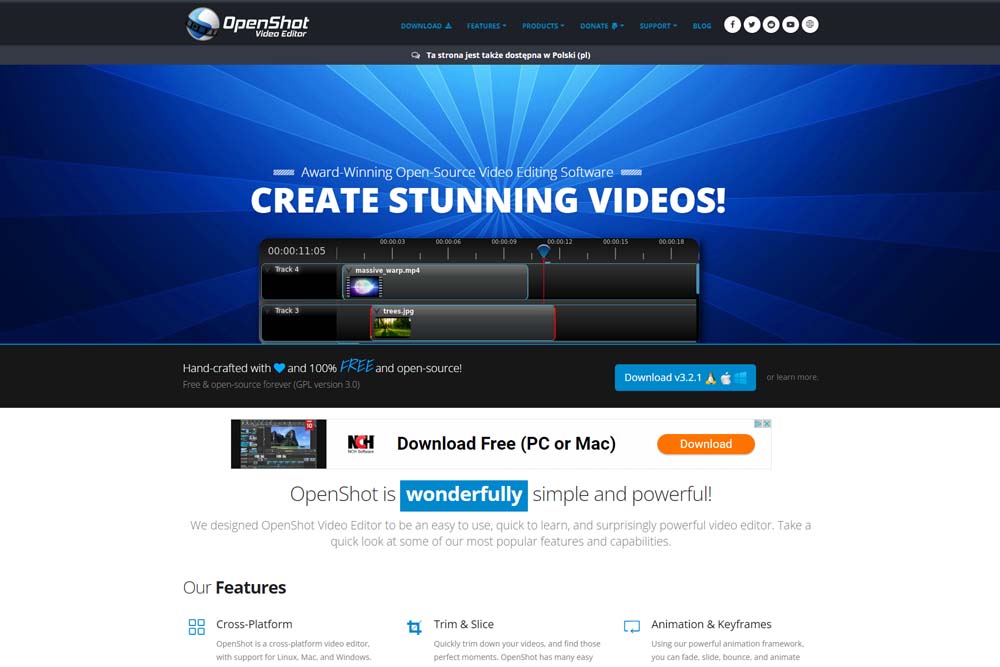
OpenShot stands out as a free video editing software that promises an easy-to-navigate interface for beginners venturing into video editing. It focuses on providing a gentle learning curve with intuitive drag-and-drop functionality. The availability of video transitions and basic editing tools ensures that newcomers can produce polished videos without feeling overwhelmed by complex features.
Specifications
OpenShot is designed with simplicity in mind, offering a clear and straightforward interface that beginners can quickly adapt to. It supports a wide range of video, audio, and image formats, making it versatile for various projects. The software includes a rich library of video transitions, allowing users to enhance their projects with smooth cuts and creative effects. Available for Windows, Mac, and Linux, OpenShot’s cross-platform compatibility is a significant advantage for users across different operating systems.
Reasons to Use
For beginners, OpenShot’s appeal lies in its simplicity and the fact that it’s a free video editing software. The inclusion of video transitions and an easy-to-understand interface make it an ideal starting point for those new to video editing. Its cross-platform availability ensures that no matter the operating system, users can access a reliable editing tool without financial investment.
Reasons to Avoid
Although OpenShot is excellent for beginners, its simplicity might be a limitation for more advanced users looking for in-depth editing features. The software can sometimes experience stability issues, especially with large projects or on less powerful hardware. Additionally, users seeking high-level professional features may find OpenShot’s capabilities somewhat basic.
Deciding on the Right Video Editing Software
Choosing the right video editing program can seem daunting, but it’s all about matching the software to your needs. Consider the types of videos you want to create, whether for social media, professional projects, or personal enjoyment. Also, think about the level of complexity you’re comfortable with. Some programs offer a vast array of features and customisation, while others keep it simple and user-friendly. It’s essential to strike a balance between functionality and ease of use to ensure a smooth editing process.
Which Free Video Editing Software Do YouTubers Use?
Many YouTubers start their video editing journey with free software to manage costs while delivering engaging content. DaVinci Resolve stands out as a favourite for its comprehensive features that rival paid software. It offers everything from basic cutting and trimming to more advanced colour grading and visual effects. This versatility makes it a go-to choice for creators who want to produce professional-quality videos without the hefty price tag of premium software.

Is Free Video Editing Software Good Enough for Professional Use?
Free video editing software has come a long way, with several options now offering functionalities that were once exclusive to paid versions. Programs like DaVinci Resolve and Lightworks provide professional-grade tools such as colour correction, visual effects, and high-quality rendering. These features make them viable for professional projects, especially for freelancers or startups looking to minimise expenses. However, the most advanced projects might still require paid software for specific niche features.
Key Features to Look Out for in Video Editing Software
When evaluating video editing software, several key features stand out. Look for a user-friendly interface that doesn’t sacrifice power for simplicity. Robust trimming and cutting tools are essential for refining your footage. Visual effects capabilities can transform your projects, allowing for creative expression that elevates your content. Additionally, support for high-resolution video and efficient rendering accelerates the editing process, ensuring your projects look polished and professional.
Navigating the World of Video Editing
The landscape of video editing is vast, with tools ranging from basic free video editing software for beginners to advanced suites like Adobe Premiere Rush for more experienced editors. Mac users have access to exclusive platforms such as iMovie, known for its intuitive design and ease of use. Meanwhile, cross-platform video editing solutions offer flexibility, allowing creators to work on projects across different devices. Web-based video editing platforms provide convenience but might lack the comprehensive features found in downloadable software.
The Transition from Beginner to Pro Editor
Moving from a beginner to a pro video editor involves mastering several key areas. Starting with free versions of sophisticated software can lay a solid foundation. Windows users might explore options like DaVinci Resolve, which offers a comprehensive video editing suite that scales with your skills. Understanding video content creation, from basic cutting to advanced motion tracking, gradually builds proficiency. Practice and experimentation are crucial, as they allow you to explore different styles and techniques.

The Impact of AI on Video Editing
The incorporation of AI technology in free video editing software is revolutionising the way we edit videos. Adobe Premiere Rush, for instance, utilises AI to streamline the editing process, offering features like automatic video reframing that adjusts aspect ratios with a single click. This advancement not only saves time but also enhances creativity, enabling editors to focus on storytelling and content quality. AI-driven tools are making video editing more accessible and efficient, setting a new standard in the industry.
Common Questions Answered
One common inquiry is whether free video editing software supports editing 4K and 8K videos. While premium programs offer robust support for these high resolutions, many free plans are also capable, though with some limitations. Google Chrome and other browsers have extensions or web apps for editing, offering a convenient option for basic adjustments. Yet, for intensive editing of 4K and 8K content, desktop software with powerful hardware might be necessary to handle the data-rich files smoothly.
Can You Edit 4K and 8K Videos with Free Software?
Editing 4K and 8K videos is possible with several free video editing software options, although performance may vary. High-resolution video files require significant processing power, so the efficiency of editing will depend on your computer’s capabilities as well. Software like DaVinci Resolve and Shotcut supports 4K editing and, to some extent, 8K, offering hobbyists and professionals alike the opportunity to work with high-quality footage without a financial investment in expensive software.

What About Editing Videos on Smartphones?
With the advancement of smartphone technology, editing videos directly on your mobile device has become increasingly feasible. Free video editing software for smartphones offers a range of functionalities, from basic trimming and cropping to more complex tasks like adding transitions and effects. These mobile apps cater to creators on the go, providing a convenient way to produce engaging content without the need for a computer. As mobile processors become more powerful, the gap between desktop and mobile video editing continues to narrow.
Expert Tips for Aspiring Video Editors
For those aspiring to master video editing, focusing on developing a keen eye for storytelling and pacing is crucial. Professional editing goes beyond technical skills, requiring an understanding of how to convey a narrative compellingly. Utilising free video editing software allows you to experiment without financial pressure, providing a practical learning platform. Regular practice, coupled with feedback from peers, can significantly enhance your editing skills, preparing you for more complex projects.
Best Practices for Effective Video Editing
Effective video editing is not just about mastering the software, but also about understanding the principles of good storytelling. Using free video editing software, editors should focus on maintaining a clear narrative flow, ensuring that each cut and transition serves the story. Attention to pacing keeps the audience engaged, while creative use of visual effects can highlight key moments. Regularly updating your skills and staying informed about new features and techniques in software can also contribute to more impactful editing.

Overcoming Common Video Editing Challenges
One challenge many editors face is managing large files and long rendering times. Free video editing software, while powerful, may have limitations in handling extensive footage efficiently. To mitigate this, focus on organising your files and editing in segments. Additionally, hardware upgrades can improve performance. Overcoming these hurdles is part of the learning curve, pushing you to find creative solutions and streamline your editing process for better efficiency and productivity.
The Future of Video Editing
The future of video editing is poised for exciting developments, with free video editing software playing a significant role in democratising access to powerful editing tools. Innovations in AI and machine learning are expected to simplify complex tasks, making high-quality video editing accessible to a broader audience. As technology evolves, we anticipate a surge in creative content, with editors leveraging these advanced tools to bring their unique visions to life in more dynamic and engaging ways.
Emerging Trends in Video Editing Software
The landscape of video editing is constantly evolving, with emerging trends shaping the future of the industry. Real-time collaboration features are becoming more common, allowing teams to work together seamlessly, regardless of location. The integration of AI for tasks such as auto-editing and enhanced visual effects is streamlining workflows, enabling editors to focus on creativity. Additionally, the rise of virtual reality and 360-degree video content is pushing software developers to expand capabilities, offering creators new avenues for storytelling.

How Upcoming Technologies Are Shaping Video Editing
Emerging technologies are revolutionising the landscape of video editing, making sophisticated tools accessible to everyone. Artificial intelligence and machine learning are at the forefront, automating complex tasks such as object recognition and background removal. This automation extends to free video editing software, enabling creators to produce high-quality content with minimal effort. Moreover, cloud-based platforms are enhancing collaboration, allowing editors to work together in real time from different locations. These advancements are setting a new standard in the field, making professional-grade editing tools available to a wider audience.
Final Thoughts: Choosing the Best Free Video Editing Software
Selecting the right free video editing software can be a game-changer for content creators. The best software is not just about cutting costs; it’s about finding a tool that matches your creative vision and workflow. With the advancements in technology, free software now offers capabilities that were once exclusive to paid versions. From multi-track editing to visual effects, these tools empower creators to produce content that stands out. Ultimately, the choice depends on your specific needs, whether you’re a beginner or a seasoned editor looking to expand your toolkit without breaking the bank.
Why the Right Free Video Editor Can Transform Your Content
The right free video editor can significantly enhance the quality and impact of your content. It’s not just about trimming clips or adding music; it’s about leveraging advanced features like visual effects, effects and transitions, and multi-camera editing to tell your story more effectively. For Windows users, the availability of robust free editors ensures that high-quality video production is accessible, regardless of budget. By choosing the right tool, creators can unlock new creative possibilities, making their content more engaging and visually appealing to viewers.
- Custom web design
- Secure and fast website solution
- Full management training
- Take control of your website
- SEO optimisation
- Reliable web hosting and emails

