

If you’ve ever wondered what WordPress actually is, and why nearly half the internet is built on it, this article is for you. We’ll explain WordPress in plain English, examine its strengths and trade-offs, and show why it continues to dominate the CMS (content management system) space.
What Is WordPress?
WordPress is a free, open-source content management system (CMS) written in PHP and using a MySQL (or MariaDB) database. According to Wikipedia, It was originally created in 2003 as a blogging platform, but over time has evolved into a full-featured website system, capable of running anything from simple blogs to ecommerce shops, membership sites, forums, learning management systems and more.
In practice, when you build a website with WordPress you get:
-
A dashboard / admin interface where you can create pages, posts, manage media (images, video), users, menus and settings.
-
A theme system that controls design, layout, fonts, colours, templates etc.
-
A plugin ecosystem that lets you add extra features (SEO tools, forms, eCommerce, security) without coding everything from scratch.
-
A content structure (posts, pages, categories, tags) that enables organisation, navigation and dynamic content delivery.
WordPress by the Numbers (2025 Stats)
| Metric | Stat |
|---|---|
| Share of all websites | ~ 43.4% |
| Share of sites using a known CMS | ~ 61.0% (i.e. among CMS-based sites) |
| Number of WordPress releases | 760+ releases total, and 52 major versions |
| Use in eCommerce (via WooCommerce) | ~ 1/3 of online stores run on WooCommerce (WordPress) |
| Market share trend | WordPress holds over 60% of the CMS market consistently. |
These figures underline WordPress’s strong lead over other CMS platforms such as Shopify, Wix, Joomla or Drupal.
Why So Popular? Key Advantages of WordPress
WordPress’s dominance isn’t by accident. Here are the main reasons it’s so popular:
1. Flexibility & Extensibility
Because WordPress is modular, with themes and plugins, it can be adapted for countless use cases. Whether you want a magazine, a store, a membership site or a simple blog, you can do so by combining plugins (e.g. WooCommerce for eCommerce, BuddyPress for social features or LearnDash for courses, if you are planning to build an e-learning system, then Hire Learndash Developers as the set-up can be complex).
2. Large Ecosystem & Community
The WordPress community is vast. There are tens of thousands of free and paid themes, over 60,000+ plugins in the official directory, plus countless third-party extensions. There are also forums, WordCamps, meetups and professional agencies offering support and services.
3. User-Friendly (for many use cases)
While advanced customisation may require knowledge of HTML, CSS, PHP or JavaScript, many site owners can manage content, menus and styling changes through the admin dashboard without touching code. WordPress’s block editor (Gutenberg) further improves usability for editing pages and layouts.
4. SEO & Content Focus
WordPress is built with good practices for search engines. You can configure SEO-friendly URLs, sitemaps, metadata, heading structures, image alt text, and more, often via plugins like Yoast SEO or Rank Math. This content-first nature is ideal for any site relying on organic traffic.
5. Cost Efficiency
Because the software itself is free, and many plugins and themes are either free or relatively cheap, WordPress lets you build powerful sites without huge upfront licensing costs. You’ll still need hosting, domain and possibly premium plugins/themes or development, but many small to medium sites are highly achievable with modest budgets.
6. Ongoing Updates & Security
The WordPress core is regularly updated for security, performance and features. However, you must maintain plugins and themes, and apply patches promptly. (Security vigilance is essential.)
Note: A recent incident revealed a critical flaw in a widely used WordPress theme that could allow full site takeover reinforcing the need for regular updates and vetted plugins/themes.
This allows employees to focus on higher-value tasks such as strategy, creativity, and decision-making, leading to better outcomes and a more engaged workforce.
Limitations & Consideration
No platform is perfect. Here are some drawbacks and trade-offs to be aware of:
Performance & Bloat: Using too many heavy plugins or poorly coded themes can slow your site. Optimisation (caching, image compression, selective plugin use) is often needed.
Security Risks: Because WordPress is so ubiquitous, it is a common target for hackers or malicious plugins. Always keep core, themes and plugins updated, and use security hardening techniques.
Learning Curve for Customisation: To push beyond what’s possible via standard themes/plugins, you’ll need to understand code (PHP, CSS, JavaScript) or hire a developer.
Plugin Compatibility: Sometimes plugins conflict with each other or with the theme, requiring troubleshooting or alternative solutions.
Maintenance Overhead: Regular backups, updates, monitoring and optimisations are essential, especially as the site grows.
WordPress.com vs WordPress.org
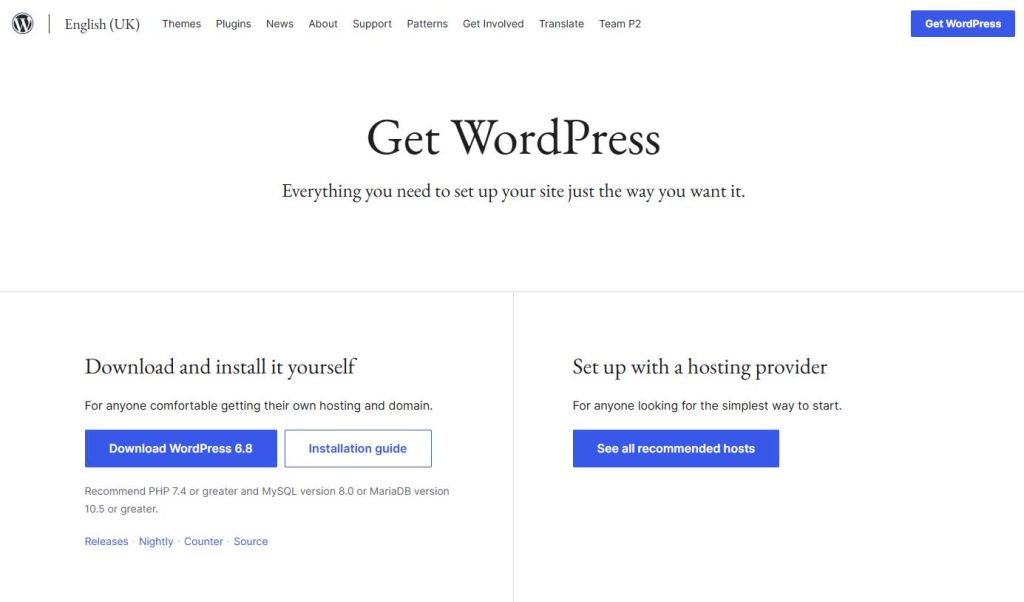
It’s common to see confusion between WordPress.com (the hosted service) and WordPress.org (the self-hosted software).
WordPress.org is the open source software you can download and deploy on your own hosting. It gives you full control over code, plugins, themes and hosting.
WordPress.com is a hosted platform run by Automattic. It handles hosting, backups and updates for you, but imposes constraints depending on your plan (e.g. on plugin/theme choice for lower tiers).Automattic has recently added an AI Site Builder feature to WordPress.com, where users can generate a full website via conversational prompts.
If you value flexibility, customisation and ownership, a self-hosted WordPress (via WordPress.org) is usually preferred.
How WordPress Powers Real Websites
Many high-traffic, high-profile sites rely on WordPress (often via WordPress VIP) because it scales well with proper architecture, caching, CDNs and enterprise support.
Because WordPress can integrate with APIs, headless setups, custom development and third-party services, it remains a go-to platform for organisations that want both power and flexibility.
Tips for Getting Started with WordPress
f you are building or migrating a site on WordPress, here are some recommendations (and internal links you might want to reference):
Choose a solid, well-coded theme
Avoid bloated themes with many unused features. Use lightweight themes or frameworks (e.g. Astra, GeneratePress, or block-based themes) and child themes for customisation.Select essential plugins only
Use plugins for specific, necessary features (SEO, caching, forms, security), but avoid installing dozens of plugins “just in case”.Prioritise performance
Use caching (e.g. WP Rocket, W3 Total Cache), image optimisation, lazy loading and possibly a CDN.Secure your site
Use strong passwords, limit login attempts, install a security plugin (e.g. Wordfence, Sucuri), enforce SSL and keep backups.SEO best practices
Use an SEO plugin, configure meta tags, sitemaps, structured data, optimize page speed, set up proper permalinks and internal linking.Keep WordPress and extensions updated
Apply updates promptly. Review plugin/theme compatibility before updates, and always back up before upgrading.Consider professional support
If you need custom functionality, or expect high traffic, working with a Web Design London Agency (such as DCP Web) or developer is wise.Plan content structure and navigation
Organise your site with logical categories, menus, breadcrumbs and clear content hierarchies from the start.
You can read more about how DCP Web handles WordPress development in our web design services section and our portfolio for real examples.
Frequently Asked Questions About WordPress
What makes WordPress the most popular CMS?
WordPress is open source, flexible, and easy to use. With thousands of free themes and plugins, it allows anyone to build blogs, business sites, or online shops without coding.
Is WordPress good for SEO?
Can WordPress handle large or high-traffic websites?
Absolutely. With optimised hosting, caching, and CDN integration, WordPress can support enterprise-level performance and millions of monthly visitors.
What’s the difference between WordPress.com and WordPress.org?
WordPress.com is a hosted service with limitations, while WordPress.org gives you full control over your site, hosting, and customisation options.
Who can help me build a WordPress website?
DCP Web Designers specialise in professional WordPress web design in London, offering tailored solutions for businesses of all sizes.
Conclusion
WordPress’s combination of openness, extensibility, ecosystem, and ease of use has made it the world’s most adopted CMS. With over 43 % of all websites and more than 60 % of CMS-based sites running it, WordPress continues to lead in versatility and usage.
If you use it wisely, choosing good themes, minimal plugins, security and performance practices, WordPress gives you a powerful foundation for nearly any kind of website.
Ready to build your WordPress website?
Contact DCP Web Designers today to discuss your custom WordPress or WooCommerce web design project. We create fast, secure, and SEO-optimised websites tailored to your business goals.

